


How to get into the demoscene: a practical guide
A practical follow-up to my demoscene post: how to watch demos, run the real thing in emulators, find the best prods on Pouët and Demozoo, start making your own with Shadertoy, TIC-80, trackers and sizecoding, and when to go to a party.
Contents
- A small dictionary first
- Step 1: watch a capture
- Step 2: find the good stuff
- Pouët
- Demozoo
- Awards and yearly picks
- Step 3: run the real thing
- Modern Windows prods
- DOS
- Amiga
- Commodore 64
- Atari ST and Falcon
- ZX Spectrum
- A watchlist for after the classics
- Step 4: make something
- Shaders, right in the browser
- Fantasy consoles
- Sizecoding
- The tools behind 4k and 64k intros
- Music: trackers
- Pixel graphics
- Step 5: release it
- Step 6: go to a party
- Where to talk to people
- The short version
My post about the demoscene got shared a lot, so this is the practical follow-up. That one was about why the scene matters. This one is about what to do next: how to watch demos, how to run them for real, where to find the good ones, how to start making your own and how to show up at a party.
You don't need to be a programmer for most of it. You don't need old hardware either. A browser and a bit of curiosity get you surprisingly far.
A small dictionary first #
The scene has its own slang, and the sites you're about to visit use it everywhere. These are the words worth knowing before you start:
- prod: short for production. Any release counts: a demo, an intro, a music track, a picture.
- demo: a real-time audiovisual piece with no size limit, or a generous one.
- intro: a demo with a strict size limit. The common ones are 64k (65,536 bytes) and 4k (4,096 bytes), and there are smaller categories like 1k, 256b and even less.
- party: a demoparty, the event where people meet and release prods.
- compo: a competition at a party, split by category. PC demo, Amiga demo, 4k intro, tracked music, pixel graphics and so on.
- wild: the compo for anything that doesn't fit the others. Videos, hardware hacks, odd machines.
- oldschool and newschool: roughly, old machines (C64, Amiga, Atari, Spectrum) versus modern PCs. Each party draws the line in its own way.
- capture: a video recording of a prod, made because running the real thing isn't always easy.
- handle: the nickname a scener uses. Almost nobody signs with their legal name.
- greetings: the shout-outs to other groups, usually somewhere inside the prod itself.
- party version and final version: prods are often finished at the last minute, so a fixed version sometimes comes out weeks later.
- remote entry: a prod sent to a party by someone who isn't there in person.
Step 1: watch a capture #
The easiest way in is a video. Almost every well-known prod has a capture on YouTube, and the database sites below link straight to it. Use full screen, turn the sound up and give it the whole running time. Demos are built like music videos, and a lot of them only make sense once the soundtrack kicks in.
If you want to see the scene live, Revision, the biggest pure demoparty around, streams the whole thing on Twitch at twitch.tv/revisionparty, with a main stage and a separate stream for the seminars. Its YouTube channel is @RevisionParty. Watching the compos live, with the chat reacting to every effect, is a pretty good way to understand the culture in one evening.
A capture is a recording, though. It's the photo of the cake, and later in this guide you'll get to eat the cake.
Step 2: find the good stuff #
There are about 2,000 prods released every year. You need a map.
Pouët #
Pouët is where sceners rate and comment on prods. Every prod gets a page with the group, the platform, the party and the place it got in the compo, plus links to the download, the capture and often the source code or a making-of.
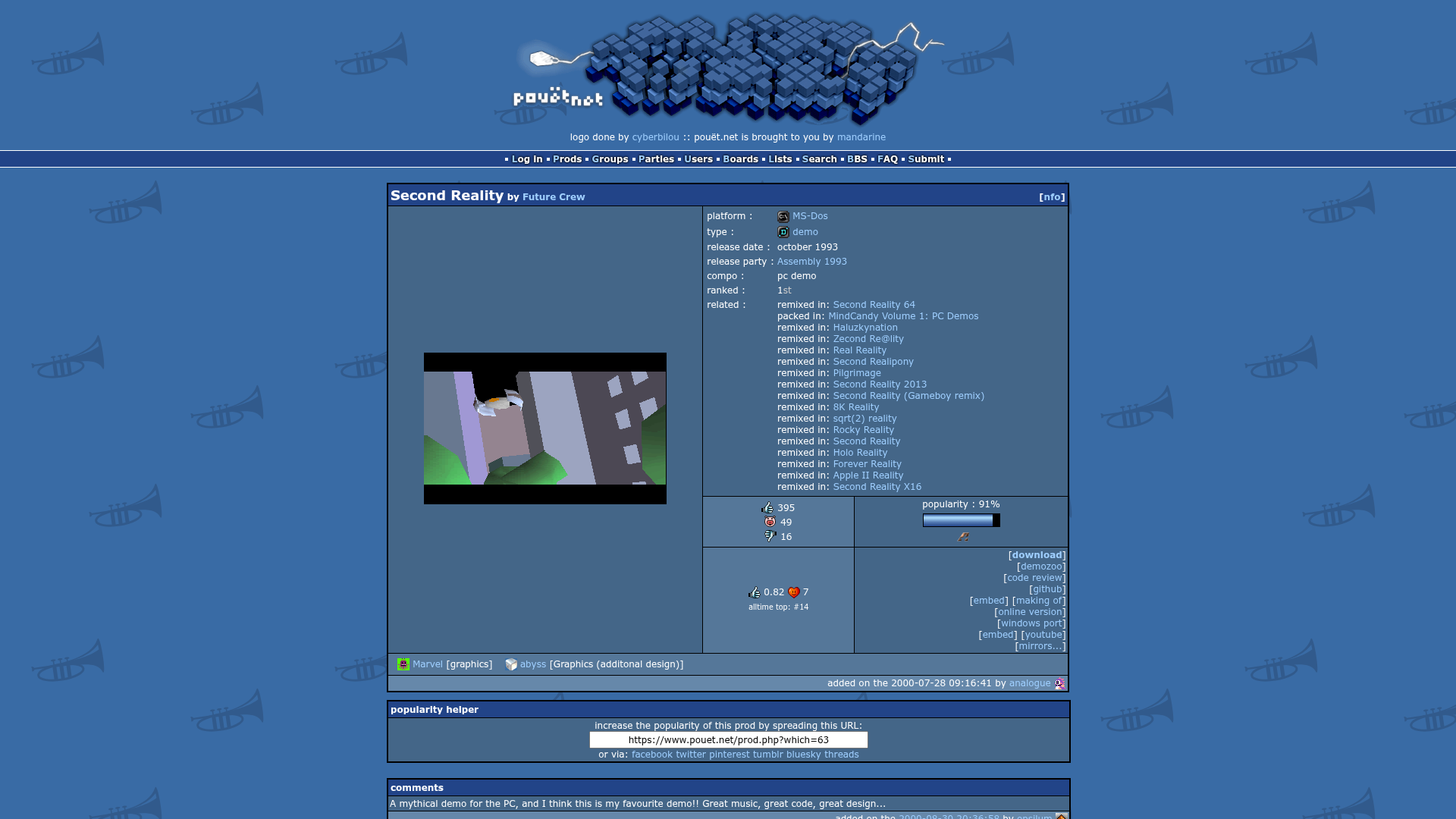
The votes come in three flavors: a thumbs up, a thumbs down and a little pig face in the middle, which the site's own FAQ describes as "meh". The front page has an all-time top list and a top of the month list. For a beginner, those two boxes make a very good first playlist.
A tip about the comments: read them, but don't take them too seriously. Some are deep technical analysis, and some are one-word insults that have been sitting there for decades.
Demozoo #
Demozoo is the encyclopedia. Where Pouët is opinion, Demozoo is record: who made what, in which group, at which party, with which credits. You can browse by platform (it lists more than a hundred), by party and by person, and every party page has its full results.
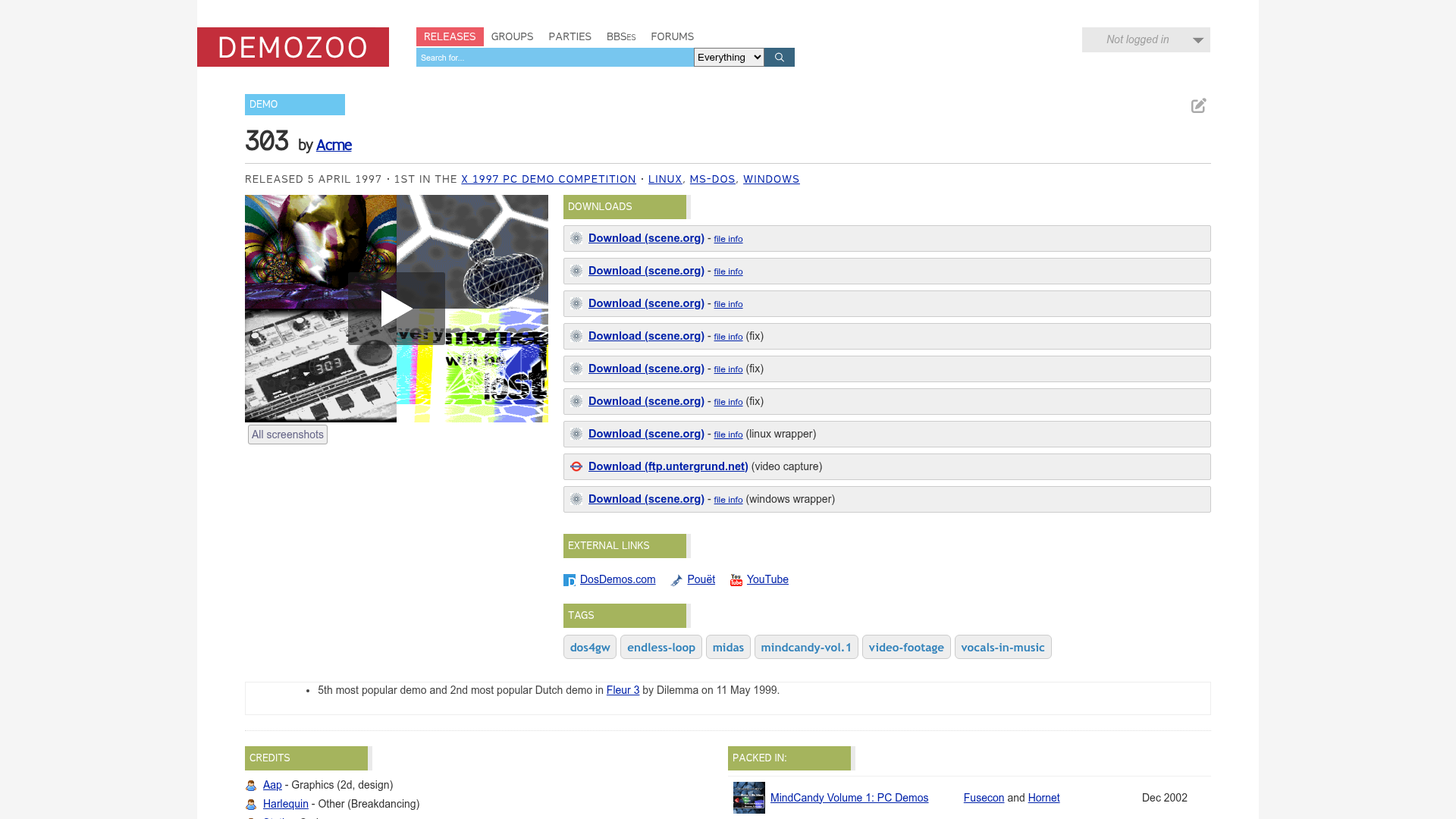
Look at the downloads box on a page like this one: party version, fixes, wrappers for modern systems and a video capture, all in one place. For some ZX Spectrum prods, Demozoo can even run the original right in your browser.
Awards and yearly picks #
The Meteoriks are the scene's yearly awards, handed out on stage at Revision since 2015. A jury picks the winners in most categories, and there's always a Public Choice and a New Talent award. The list of nominees for a year is a great shortcut to what mattered in that year.
Another good shortcut is a yearly write-up like The best demos of 2025 from the demoscene, which picks a handful of prods, embeds the videos and links to Pouët.
Step 3: run the real thing #
This is where it gets fun. Running a demo means your own computer is drawing every frame and playing every note right now. For an intro, it also means a file of a few kilobytes is doing all of that.
Modern Windows prods #
Most new PC prods are Windows executables. Download them from the link on Pouët or Demozoo, which usually points to scene.org, unzip and run.
Your antivirus may complain. Size-limited intros squeeze their code with executable packers, and some security tools see packed code as suspicious. The Pouët FAQ says it plainly: files hosted on scene.org can be considered clean. If you're still unsure, read the comments on the prod page. Sceners are quick to shout when something is actually wrong.
Also read the .nfo file that comes in the zip. It's a small text file with credits, greetings and, often, the hardware the prod needs. A 4k intro that renders everything with shaders can ask a lot from your graphics card, and the .nfo will tell you before your fan does.
DOS #
For the classics of the 90s, like Second Reality, you need a DOS emulator. The two most active ones are DOSBox Staging and DOSBox-X, both free and available for Windows, macOS and Linux.
Old demos can be picky. If one crashes, three things usually help: put it in a short folder path (something like C:\REAL), set a fixed number of CPU cycles instead of the automatic setting, and try another sound card option if the music is the problem.
A nice detail: Future Crew released the source code of Second Reality in 2013, for the demo's twentieth anniversary. It's on GitHub, and reading it is a lesson in how people wrote software when every byte mattered.
Amiga #
For the Amiga, use WinUAE on Windows, or FS-UAE and Amiberry on other systems. The catch is the Kickstart, the Amiga's ROM. The original ROMs are sold legally in Amiga Forever, which also bundles a selection of demoscene prods. There's a free replacement called AROS, and WinUAE has it built in, but it runs some software and not all of it, so expect a few demos to fail.
Commodore 64 #
For the C64, use VICE. The official builds come with the C64 ROMs included, so it works out of the box. On some Linux distributions the packaged version has the ROMs removed, so the official build is the easier path.
Atari ST and Falcon #
Hatari emulates the ST, STE, TT and Falcon. Its official builds ship with EmuTOS, a free replacement for the Atari's operating system, so you can start without hunting for the original TOS.
ZX Spectrum #
Fuse runs on Linux, Windows and macOS. And remember that Demozoo can run some Spectrum prods straight in the browser.
A watchlist for after the classics #
The first post already pointed at Second Reality, State of the Art, Desert Dream, fr-08 and Elevated. These are good next steps, grouped by type. Each link goes to the Pouët page, where you'll find the capture and the download.
Demos for PC:
- fr-041: debris. by Farbrausch, 1st at Breakpoint 2007. A city falling apart, from a download that's famously tiny for what it shows.
- Agenda Circling Forth by Fairlight and CNCD, 1st at Breakpoint 2010.
- Razor1911 by Razor 1911, winner of the PC demo compo at Revision 2026. Razor 1911 started on the C64 in Norway in 1985 and became one of the most famous cracking groups in history. Forty years later, the same name wins the biggest pure demoparty around with a demo. If you read the first post, you know why that's funny.
64k intros:
- Heaven Seven by Exceed, 1st at Mekka and Symposium 2000.
- The Timeless by Mercury, 1st at Revision 2014.
- Clean Slate by Conspiracy, 1st at Revision 2021.
- Squidopus Famelica by With Love, the 64k winner at Revision 2026. You'll find it in the Revision 2026 results.
4k intros:
- Atrium by TBC and Loonies, 1st at Breakpoint 2008.
- Cdak by Quite and Orange, 1st at Chaos Constructions 2010.
- duo by Nuance, the 4k winner at Revision 2026, also in the results page above.
Amiga:
- Starstruck by The Black Lotus, 1st at Assembly 2006, for the Amiga AGA and the Atari Falcon.
- Second Nature by Desire and The Twitch Elite, the Amiga demo winner at Revision 2026.
Commodore 64:
- Edge of Disgrace by Booze Design, 1st at X 2008.
A good habit: when a prod hits you, open its Demozoo page, look at the group and watch what else that group made. Do the same with the musician and the graphician in the credits.
Step 4: make something #
The scene isn't only coders. Every party has compos for music and graphics, and a lot of prods are made by a group where only one person writes code. Pick the door that fits you.
Shaders, right in the browser #
A shader is a small program that runs on the graphics card and decides the color of every pixel on the screen. A big part of modern demos and intros is made of them, and you can start writing one in the next five minutes.
Shadertoy is a website where you write shaders in GLSL and see the result instantly. You can browse and edit any shader on the site, change a number and watch what happens. It's a great way to learn: open something beautiful, break it and figure out why it broke.
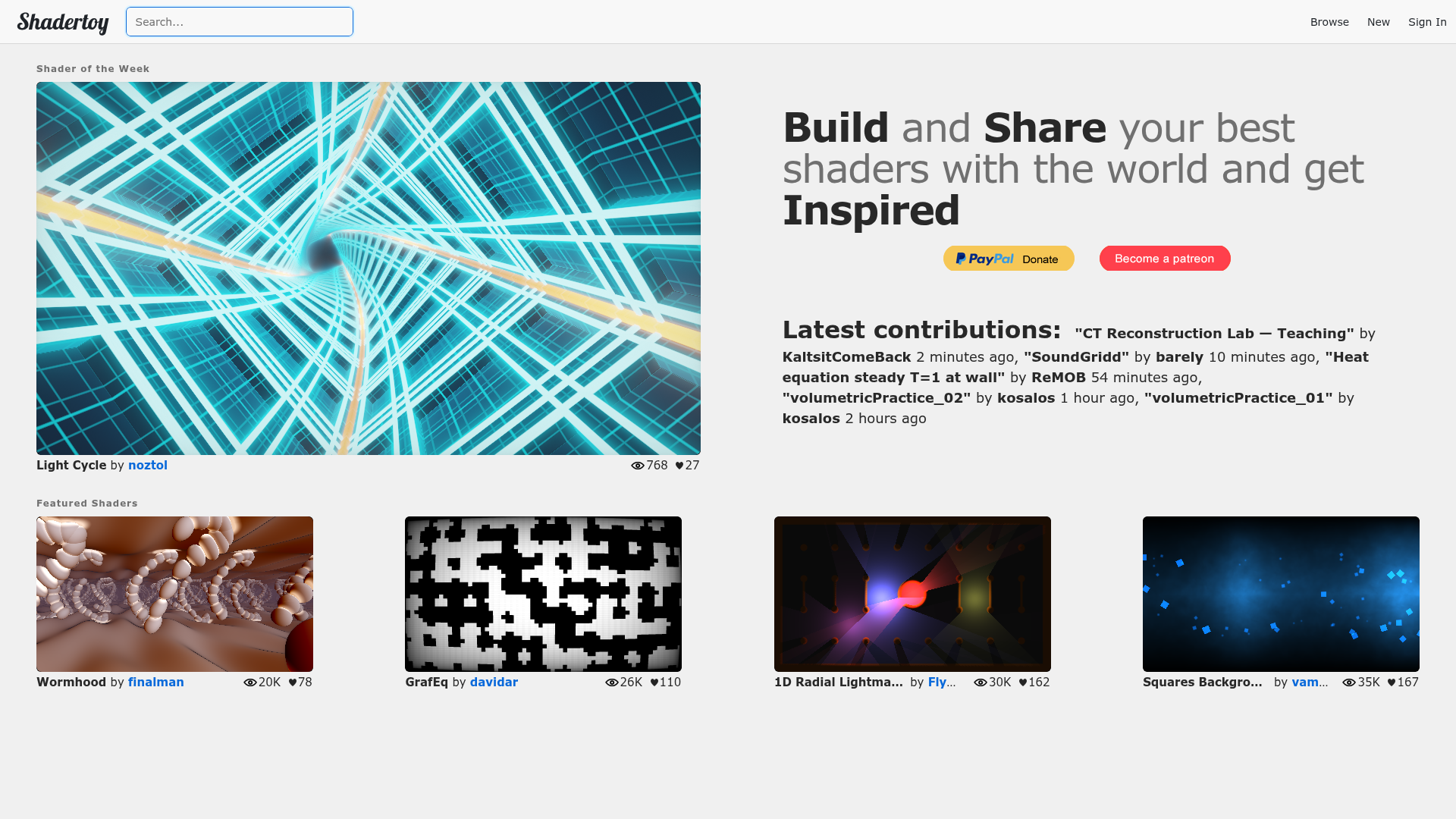
When you get comfortable, look at live coding. At Revision there's the Shader Showdown: two coders on stage, 25 minutes, an empty editor, a DJ playing, and they write a shader from scratch while the audience watches. No notes, no phones, no USB sticks. The crowd picks the winner by cheering. The tool they use is called Bonzomatic, it's free, and you can practice with it at home. There's a whole archive of these events, with the code of each round, at livecode.demozoo.org.
Fantasy consoles #
A fantasy console is a computer that never existed, with limits chosen on purpose. It's the closest thing to an 80s home computer you can download today.
TIC-80 is free and open source. It has a 240x136 screen, a 16-color palette, 4 sound channels and built-in editors for code, sprites, maps and sound. There's an optional paid Pro build, but the free one does everything you need to start.
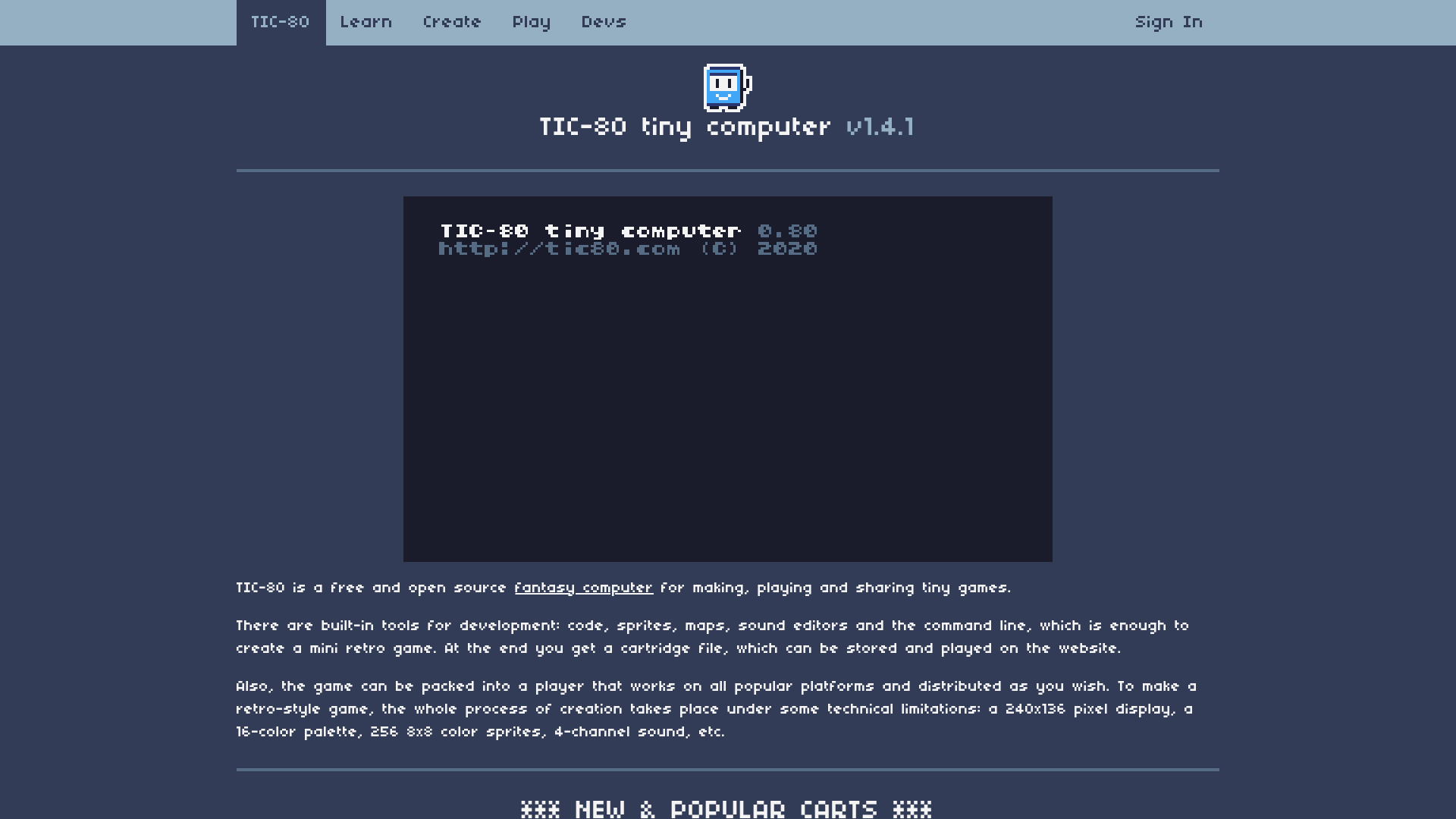
TIC-80 has become a real scene platform. There are regular byte jams, live sessions where people code effects on it together, and sizecoding parties have whole compos for it. PICO-8 is the paid cousin (US$14.99), with a 128x128 screen and 16 colors, and a big community of its own.
Sizecoding #
Sizecoding is the art of making something impressive in a ridiculously small file, think 256 bytes, or 128, or 64. This line of the post you're reading is already longer than some of those prods.
The best place to see it happen is Lovebyte, an online party dedicated to it, usually in February, held on Discord with the compos streamed on Twitch. It has intro compos from 1k down to 32 bytes, split into oldschool and high-end, plus categories for tiny graphics, tiny music and bytebeat, and a compo just for new talent. Since it's online, anyone can take part from home.
To learn, the sizecoding.org wiki is the reference, with a focus on tiny programs for the x86. If you'd rather start with JavaScript, Dwitter is a site of visual demos written in 140 characters. Every dweet is a little puzzle, and reading other people's is half the fun.
The tools behind 4k and 64k intros #
If you get serious about size-limited intros on Windows, these names will show up again and again:
- Crinkler: a compressing linker for 1k, 4k and 8k intros. It's what turns your code into a tiny executable.
- kkrunchy: an executable packer made mainly for 64k intros.
- 4klang: a synthesizer built for 4k intros. You compose the music, and it becomes a few hundred bytes of code.
- Sointu: an evolution of 4klang that runs on Windows, Mac, Linux and even in the browser.
- Oidos: an additive synthesizer for 4k and 8k intros, with a matching reverb.
They're all free.
Music: trackers #
A tracker is the classic way to make scene music. Instead of a piano roll, you get columns of notes scrolling down the screen, like a spreadsheet that plays. It looks strange at first, but the logic is simple: each row is a step in time, and each column is a channel playing its own sound. Every party has a tracked music compo.
- OpenMPT: free, for Windows.
- MilkyTracker: free and open source, in the style of FastTracker II, for Windows, macOS and Linux.
- Furnace: free and open source, for chiptune, emulating the sound chips of many old systems.
- pt2-clone: a faithful copy of ProTracker, the classic Amiga tracker.
- Renoise: commercial, with a demo version, and the most modern of the bunch.
Pixel graphics #
The graphics compos are mostly pixel art, often with the palette and resolution of a specific old machine.
- GrafX2: free and open source, inspired by Deluxe Paint, the program that defined Amiga graphics.
- Pro Motion NG: has a free edition and a cheap full version.
- Aseprite: paid, very popular, and great for animation.
Step 5: release it #
When something is done, release it. The scene is built on releases, and a small finished thing is worth more than a big unfinished one.
You don't have to travel to enter a compo. Since 2023, Revision accepts remote entries. In 2024 there were 85 of them, next to the entries made on site. Other parties have their own rules, so check the rules page of each one before sending anything. Online parties like Lovebyte are an even easier start.
When you release, a few habits help:
- Include an .nfo file with the title, the group, the credits, the party and the greetings.
- Add the prod to Pouët and Demozoo, so it's findable and part of the record.
- Make a capture, because most people will watch the video first.
- Read the feedback, keep the useful parts and let the rest go.
Step 6: go to a party #
This is the heart of it. A party is where people finish prods at four in the morning, watch the compos together on a big screen and vote. Most of the big ones are in Europe, and their dates move every year, so always check demoparty.net or Demozoo before planning. To give you an idea of the calendar:
- January: Gerp, in Skövde, Sweden.
- February: Lovebyte, online, and BCC Party in Germany (26 to 28 February 2027).
- Easter: Revision, in Saarbrücken, Germany.
- May: Outline, in Ommen, the Netherlands.
- July: Black Valley, near Oslo, Norway (9 to 11 July 2027).
- Summer: Assembly, in Helsinki, Finland, and the summer edition of Silly Venture, the Atari party, in Gdańsk, Poland.
- August: Evoke, in Cologne, Germany, and Xenium, in Poland.
- October: Deadline, in Berlin (1 to 3 October 2027).
- November: the winter edition of Silly Venture, also in Gdańsk.
- December: Inércia, in Portugal.
Outside Europe, there's Syntax in Australia, Demosplash in the United States and Flashparty in Buenos Aires, the most visible party in Latin America.
Revision publishes a small guide called How to scene for first-timers, and in 2026 it had a seminar for beginners. If you go, read the guide before you leave home. If you can't go, watch the stream: it's the next best thing.
Where to talk to people #
The scene still lives in old corners of the internet. The Revision guide lists IRC channels like #newsceners, made for exactly the person reading this, and #revision, plus a Discord server. There's also a general demoscene Discord server, which some parties point newcomers to. Ask questions, show what you made and greet people back when they greet you.
And if you're in Brazil or anywhere in Latin America and you're part of the scene, or want to be, write to me. Our scene has always been small, and that only changes when people find each other.
The short version #
If you read nothing else, do this tonight: open the all-time top on Pouët and watch three captures. Pick the one you liked most and run the real thing. Then open Shadertoy and change one number in a shader you like.
That's already more than most people ever do with a computer.