


Come wander the small web with curl
No account, no key, nothing to install: rss.expert answers curl and the browser at the same address. Wander the small web with /one, /weird and /random, find any site's feed, read articles as plain text, or subscribe to the weird web in your reader.
A few weeks ago I wrote about how rss.expert works on the inside: the content negotiation, the ranking, the SSRF guard, all of it. This post is the short version, for anyone who just wants to try it.
You don't need an account, an API key or anything installed. If you have a terminal, curl is your client. If you don't, the same addresses open in a browser.
Start with one request #
curl https://rss.expert/one/one gives you a single thing to read. One request returned this:
RSS EXPERT

Would You Survive?

A single-purpose web toy that turns your own neighbourhood into a disaster movie. You type a street address, pick one of four scenarios - zombie outbreak, wildfire, earthquake or flash flood - and it draws a dramatized escape route across your actual street map, scores your odds from 0 to 100, and hands you a card built for sharing.

https://wouldyousurvive.app/

1 min read · links.weirdnet.org
Run it again and you get something else. The index starts from the Weirdnet catalog, a hand-curated map of the small web with more than 37,000 links, so most of what comes back is personal sites, odd tools, tilde pages and Neocities.
Wander a little #
/weird returns a handful of small and strange sites, picked by a points system that favors personal domains, tiny feeds and anything that mentions Gemini or Gopher. Big portals and SEO titles lose points. Every request draws a different handful.
curl https://rss.expert/weird
/random doesn't try to be clever and can pull anything from the archive, old stuff included. One try handed back Dinky Daydreams, a vaporwave site on Neocities.
If you have a subject in mind, there's /topic and full-text search:
curl https://rss.expert/topic/gemini
curl "https://rss.expert/search?q=gopher"
The Gemini topic brought back Gemini Quickstart, flounder and Gemcities. The Gopher search found Floodgap, bitreich, a gopher manifesto and a pile of tildes.
Use it while you read the web #
The other half of the commands works on any page you point it at. They're handy to keep in your shell history.
Find every feed a site publishes:
curl "https://rss.expert/find?url=https://pablomurad.com"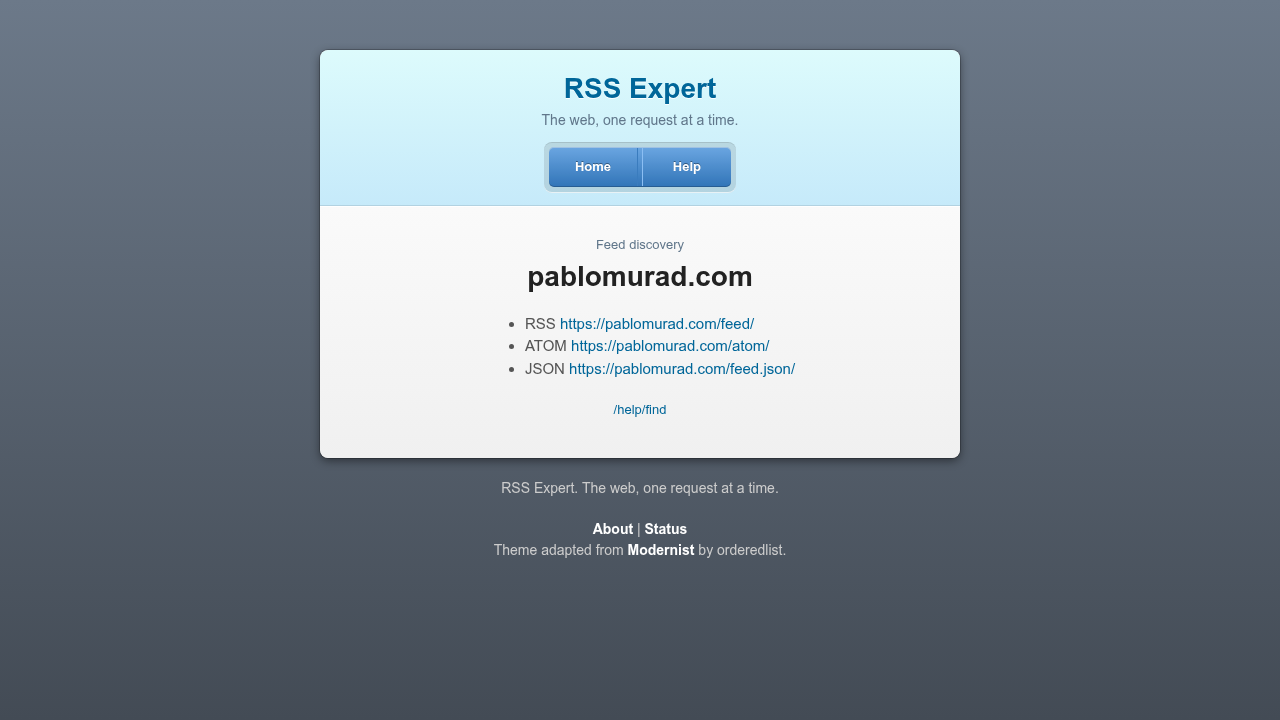
Get only the feed address, ready to paste into a reader:
curl "https://rss.expert/feed?url=https://pablo.space"
https://pablo.space/posts_feed
Read an article as plain text, without the page around it:
curl "https://rss.expert/text?url=https://pablomurad.com/rss-expert/"And for the curious: /title returns just the title, /links lists every link on a page, one per line, and /meta reads the Open Graph tags, JSON-LD and microformats a page publishes.
A few small recipes #
Add a site to newsboat without opening it:
curl -s "https://rss.expert/feed?url=https://pablo.space" >> ~/.newsboat/urlsGet search results as bare URLs, one per line, for a pipe:
curl -s "https://rss.expert/search?q=gopher&format=urls" | head -5Open one weird site in your browser on Linux (swap xdg-open for open on a Mac):
xdg-open "$(curl -s 'https://rss.expert/weird?format=urls' | head -1)"Or skip the terminal entirely and subscribe to the weird web in your feed reader. Every page has an RSS version, so this works:
https://rss.expert/weird.rssOn Windows, use curl.exe instead of curl. In PowerShell, plain curl is an alias for Invoke-WebRequest and gives you an object instead of text.
What you won't find there #
There's no login, no tracking script and no AI picking the links. The home page loads no fonts, scripts or images. The log keeps the route, the status and the time a request took, but not the address you asked about. When the service fetches a feed, it identifies itself as RSSExpert/1.0 and links to its about page, so anyone who spots it in their logs knows who's knocking.
Bring your feeds #
Right now the index is mostly the Weirdnet catalog, and the fetcher hasn't started pulling outside feeds yet. If you have a small blog, a personal site or a feed you think belongs among the weird ones, send it to the address on the about page.
Every command is explained at rss.expert/help. Open a terminal and type the first one.