


A guide to SDF, part I: a Unix home since 1987
SDF has been letting strangers log in to a shared Unix system since 1987. Part I of my guide: how a 1987 anime BBS became a non-profit Unix home, how membership works, and how to sign up, log in, chat and publish your first web page. I’m there as pmurad.
Somewhere in Seattle there's a group of computers that have been letting strangers log in since 1987. You don't download an app. You open a terminal, type one command, and you're inside a Unix system shared with thousands of people from all over the world: writing to each other on a bulletin board, chatting in rooms that predate Slack by decades, hosting little web pages and gopher holes, playing text games at three in the morning.
It's called SDF, the Super Dimension Fortress, and I have a home there. My login is pmurad, and my little page lives at sdf.org/~pmurad.
This is the first of two posts. Here I'll tell you where SDF came from, what it is today, and how to get in and find your way around. In part II we'll go deeper: email, gopher, phlogs, USENET and the tools that open up when you become a member.
What is a public access Unix system? #
Before everyone had internet at home, a public access Unix system was how a lot of people got online. You dialed a phone number with your modem and landed on a shared computer where you had an account, a home directory, email, newsgroups and other people to talk to. Most of these places disappeared when commercial internet providers arrived.
SDF didn't. It's still a shared Unix machine where your account is a real account on a real server, your files sit in a real home directory, and the people around you are real people typing in real time. It runs as a non-profit, it's supported by its members, and the basic account is free.
A short, strange history #
SDF started in 1987 as a bulletin board on an Apple IIe, run by Ted Uhlemann for fans of Japanese animation. It was called SDF-1, a nod to the giant ship in the anime Super Dimension Fortress Macross. One phone line, one 1200 bps modem, two floppy drives.
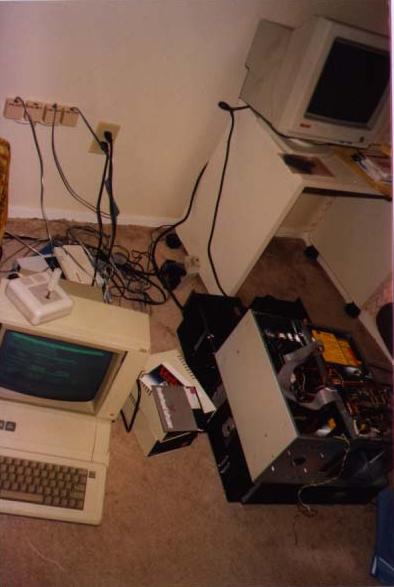
Ted, Stephen Jones and Daniel Finster used to dial into a public Unix system in Dallas called The UNIX Connection, better known as "killer". In February 1990, killer was abruptly shut down during Operation Sundevil, the US crackdown on computer crime of that era. The three friends missed it so much that they decided to build a replacement. In 1991 SDF became a Unix system, running System V on a caseless PC that lay across Ted's desk. The photo above is from June 1991, in the middle of moving SDF into a new case, with the old Apple IIe BBS still sitting on the left.
In 1992 Ted and Daniel left to start Texas Metronet, one of the first commercial internet providers in Dallas. Stephen stayed behind and kept SDF running.
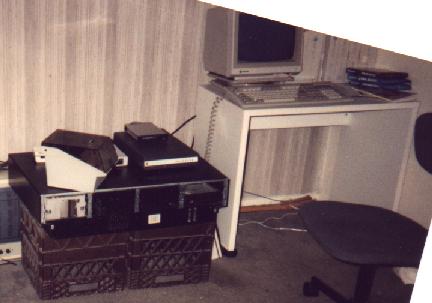
This is SDF in 1993, sitting on two milk crates in an apartment, with five phone lines and a brand new 9600 bps modem. Soon after, it moved to AT&T 3B2 minicomputers. In 1997 it moved to Linux with around 15,000 users, a period Stephen later called a "dark age" because of how often the system was attacked. Between 2000 and 2001 SDF switched to NetBSD on DEC Alpha hardware and moved from Texas to Seattle, and in October 2001 it became a non-profit membership club.
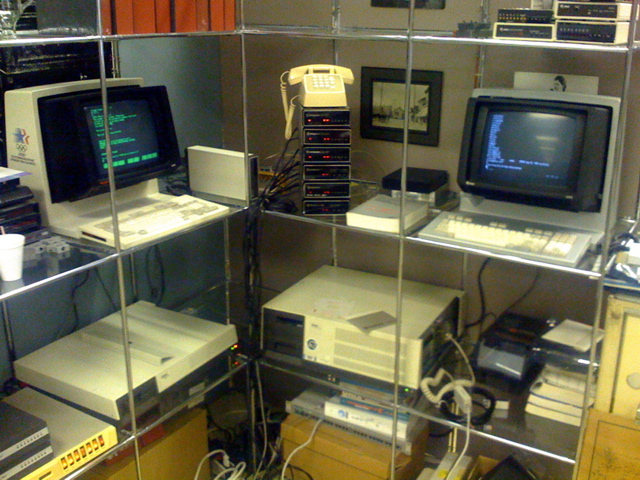
One of the old 3B2 machines retired in 1998 later went on display at a communications museum in Seattle, where visitors could log in from real teletypes. SDF never threw its history away.
SDF today #
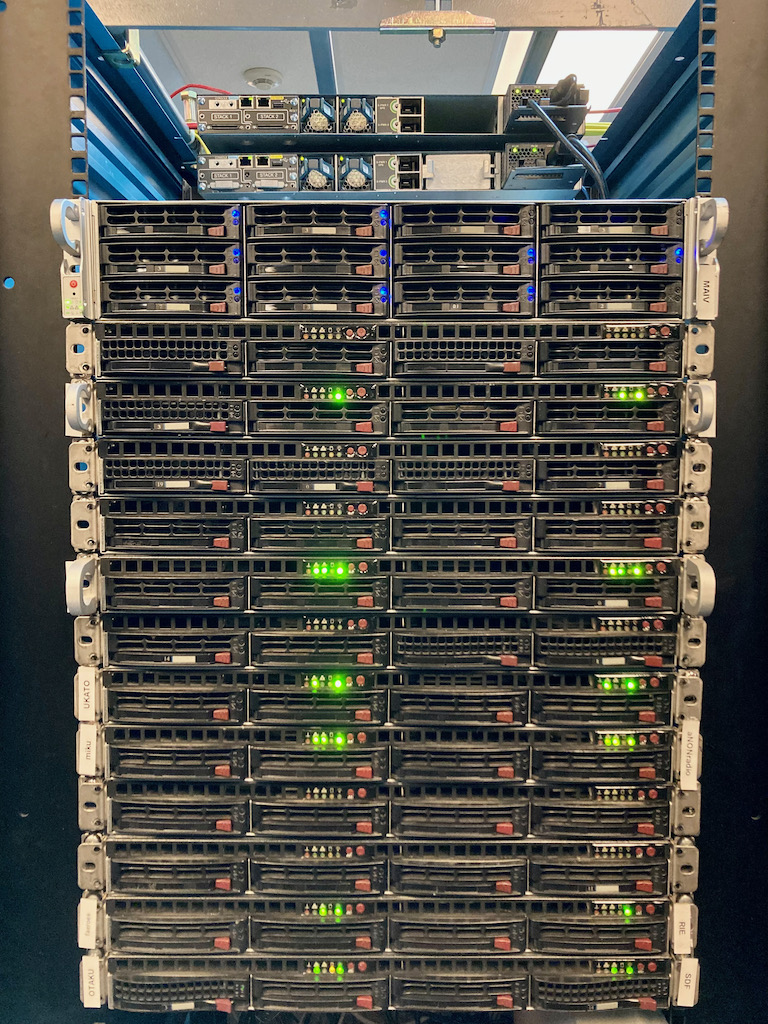
Today SDF is a network of NetBSD servers, plus a little museum of vintage systems you can still log in to, like TOPS-20, Symbolics Genera and ITS. Members get shell access, email, webmail, web hosting, gopher hosting, USENET, games, programming tools and the local chat and bulletin board that have been there for decades. It also runs its own Mastodon, Pixelfed, Lemmy and Matrix servers, and even an internet radio station called aNONradio.
The website still says "this page was generated using ksh, sed and awk" at the bottom, and I love it for that.
How membership works #
SDF has a few membership levels, and it helps to understand them before you start, because some commands only work at certain levels.
USERS (free). Anyone can create an account. You get a shell, local email, the bulletin board, the chat, hundreds of programs and games, and 20 MB each for your home directory, mail, website and gopher space. New accounts start as "prevalidated", with some features locked.
Validation. To unlock things like logging in via SFTP, more mail programs, shells and editors, and web hosting, you validate your account with a small donation. It's traditionally just one US dollar, sent through PayPal with "Validate yourlogin" in the message, or by mail. It's less a fee than a way to prove you're a person and not a spam bot.
ARPA ($36, once, for life). The lifetime membership. You get compilers and programming languages (gcc, Python, Perl, Ruby, PHP), outbound SSH and IRC, more disk space, and the right to vote on how the system is run. The policy page has my favorite line on the whole site: lifetime membership "is based on the lifetime of SDF, not of the user", and "SDF has existed since 1987 and with your support maybe it just might outlive you. ;-)"
MetaARPA ($11 a quarter). For ARPA members who want more: cron jobs, screen, SSH tunnels, Git and NextCloud instances, and the ability to validate new users.
There are also add-ons for things like your own domain, databases, VPN and VPS. The join page lists them all.
One rule to remember: accounts that are never validated are removed after about 600 days, and validated free accounts expire if you don't log in at least once every two years. ARPA members are exempt from that.
Creating your account #
You have three easy ways to sign up:
- The web form at sdf.org/?signup, where you type your email and the login you want.
- SSH from a terminal, on Linux or macOS:
ssh new@sdf.org- The browser, using SDF's web SSH client at ssh.sdf.org. On Windows, you can also use PuTTY.
The SSH signup walks you through a few questions, like your login name and email. Choose your login carefully, because it becomes your address everywhere on SDF. If you get stuck, there's live help on IRC at irc.sdf.org in the #helpdesk channel.
Logging in #
Once your account exists, connect with:
ssh yourlogin@tty.sdf.orgtty.sdf.org sends you to one of the shared hosts. It doesn't matter which one: they all see the same disks, so your files and mail are there no matter where you land. You'll see a message of the day, and then a prompt. Welcome to the fortress.
Your first commands #
SDF has a set of commands of its own, made for new users. These are the ones I'd try first:
helpA small interactive menu of useful commands, organized by topic.
faqThe SDF FAQ, right in the terminal. It covers almost everything a new user asks.
unixA list of basic Unix commands, if the shell is new to you. And remember that almost every command has a manual: man ls, man nano, and so on.
maintChange your password, your shell, and your contact information.
bkspIf backspace prints strange characters instead of deleting, this fixes it. Old Unix systems and modern terminals don't always agree about that key.
A few more that tell you about your account:
-
disk: how much of your space you're using -
dues: your membership details -
expire: how long until a prevalidated account expires -
uinfo yourlogin: when you joined and which memberships you have -
url yourlogin: the address of your website
And if you're not used to terminal editors, nano is the friendliest one. SDF also has vi, emacs, pico and others.
Talking to people #
This is the heart of SDF. It's a community first and a computer second.
bboard is the bulletin board, a direct descendant of the original 1987 BBS. Type bboard, and you'll see a list of boards. Some good places to start:
- HELPDESK, where users help users
- ANNOUNCE, for system news
- REQUESTS, to ask for new software
Navigation is all single keys: F and B to scroll forward and back, G to go to a board, T to read a post, R to reply, Q to quit.
com, also called commode, is SDF's own chat, written in 1994 and still in use. Type com and you land in the lobby. The trick that confuses everyone: com starts in command mode, so you press the space bar before you can talk. Some keys to know:
-
w: who is in your room -
l: list the rooms -
g: go to another room -
h: help with all the keys -
q: quit
If you type irc as a free user, com opens instead, because IRC is reserved for ARPA members (there's a free IRC day on weekends, though). Be patient in com. People idle there for hours, so say hello and give them time to answer.
Your first web page #
Once you're validated, you can publish a website right from the shell.
mkhomepgThis creates your web folder, links it into your home directory as html, and asks you to pick your address. Then create your first page:
nano ~/html/index.htmlWrite some HTML, save with Ctrl+O, exit with Ctrl+X, and open your address in a browser. That's it. No hosting panel, no deploy button, no build step. You write a file and the world can read it.
My own page at sdf.org/~pmurad is exactly that: a handwritten HTML file dressed up as a terminal, with a whoami, a cat about.txt and a .plan. As it says on the page: no framework, no cookies, no analytics, just HTML, CSS and a shell account. Come visit.
A small tip from SDF's own tutorial: AI crawlers have been hammering small sites, so it's worth adding a robots.txt to your web folder that only allows a few friendly search engines.
A few manners #
SDF is a shared machine, and the people who run it are volunteers. The rules are simple and fair: no spam, no attacking other systems, no running password crackers, and no abusing resources other people need. The policy page puts it in one line I like a lot: "If you want to use SDF, you really have to care about this system and the people here."
And don't be afraid to explore. The FAQ itself says that a great way to learn is to look around, read the manual pages and try things out. You won't break anything.
Coming up in part II #
Next time we'll go further: reading and sending mail from the terminal, building a gopher hole and a phlog, reading USENET, the games, and what changes once you become an ARPA member.
Until then, come say hi. I'm pmurad on SDF. Find me on com, or drop by sdf.org/~pmurad.
sdf.org · Join · FAQ · Tutorials
To be continued...