


Getting started with Kitten, a kit for the Small Web
Kitten turns a folder of HTML, CSS and JavaScript into a website or web app, with HTTPS, a built-in database and peer-to-peer features for the Small Web. What it is, who it’s for, and how to go from install to a live app.
Kitten is a small web server and development kit that turns a folder of HTML, CSS and JavaScript files into a website or a web app. You drop an index.html in a folder, type kitten, and it's live at https://localhost, with a real HTTPS certificate. Write a .page.js file instead and you have a dynamic page. Add one line and your data is saved in a database that's already built in. There's no build step, no config file and no framework to learn before you can see something on the screen.
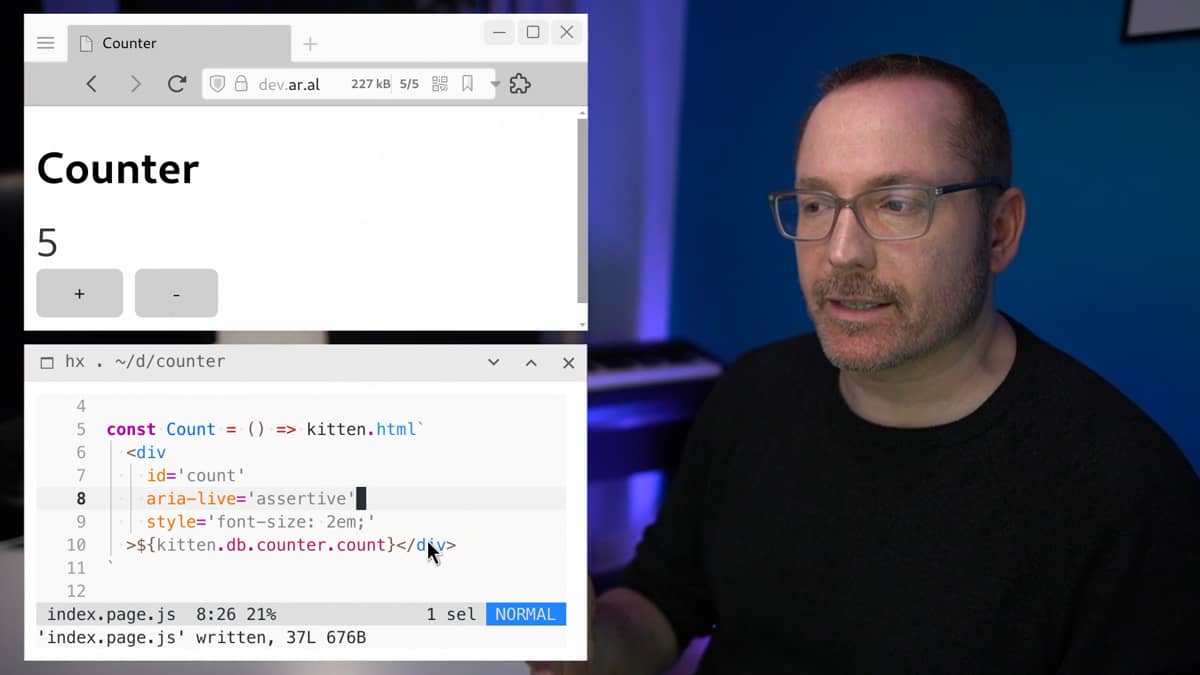
It's made by the Small Technology Foundation, a tiny not-for-profit, and it's free software under the AGPL 3.0. The source lives on Codeberg.
What the "Small Web" part means #
Kitten calls itself "a Small Web development kit", and that name explains who it's for.
Most of the web today is what the people behind Kitten call the Big Web: a few huge platforms where millions of people live inside one company's servers, under that company's rules. The Small Web is the opposite idea. Each person has their own small place on the web, a site or app that belongs to one person, runs on their own domain, and talks directly to other people's places. One owner per server, instead of one server for millions of owners.
Kitten is built for that. It can serve a plain static site like any web server, but it also comes with things you'd normally glue together yourself: a database, sessions, WebSockets, authentication and public key cryptography, so you can make peer-to-peer apps where two Small Web places talk to each other directly.
Who it's for #
Kitten is a good fit if you:
- know some HTML, CSS and JavaScript and want to build something without learning React, a bundler and a cloud platform first;
- want a personal site or a small app that you own and host yourself;
- like the idea of an app that belongs to one person, like a private guestbook, a chat between two people or a tool just for you;
- are teaching or learning web development and want students to see results in minutes.
It's probably not for you if you need to serve millions of users from one app, want a "serverless" deploy, or need something stable for a client project today. The project says itself that Kitten "is still a baby" and that you should expect breaking changes until API version 1.
What you need #
Kitten runs on Linux and macOS. It needs Bash 5 or newer and a few common tools: git, tar, tee and xz. Most Linux distributions already have all of them.
On macOS, keep in mind that the Bash that comes with the system is the old 3.2 version, so you'll need a newer one (Homebrew's bash package works).
For running a site in production, only Linux with systemd is supported.
Installing #
The quickest way is to pipe the installer into Bash:
wget -qO- https://kittens.small-web.org/install | bashIf you don't like running scripts straight from the internet (fair), clone the repository, read the install script and run it yourself:
git clone https://codeberg.org/kitten/app kitten
cd kitten
./install
Check that it worked with kitten --version. Later, kitten update updates it and kitten uninstall removes it along with its data, after asking you first.
Your first page #
Create a folder with a single HTML file in it:
mkdir kitten-playground
cd kitten-playground
echo "<h1>Hello from Kitten</h1>" > index.html
kitten
Now open https://localhost in your browser and the page is there.
Notice there's no certificate warning. The first time you run Kitten, it creates a local certificate authority and adds it to your system's trust store (and to Firefox and Chrome, if you have them), so your machine serves real HTTPS in development, just like a server would in production. Your operating system will ask for permission before it does this.
kitten with no arguments serves the current folder. You can also give it a path, like kitten ~/sites/blog. To stop the server, press Ctrl+C.
A page that does something #
Rename index.html to index.page.js and replace its content with this:
let count = 1

export default () => kitten.html`
<page title='Kitten count'>
<h1>Kitten count</h1>
<p>${'🐱'.repeat(count++)}</p>
`
Run kitten again and refresh the page a few times. Each refresh adds a kitten.
A few things are happening in those lines.
Kitten uses the file system as its router. index.page.js answers at /, and a file called about.page.js would answer at /about. A page is a JavaScript module that exports a function, and whatever HTML that function returns goes to the browser.
The HTML goes inside kitten.html and a pair of backticks. That's a normal JavaScript template string, but kitten.html cleans anything you insert into it, which protects you from cross-site scripting (someone sneaking a script into your page through a form or a URL). If you return HTML in a plain string instead, you lose that protection, so get used to kitten.html from day one.
The <page> tag sets the things that normally live in the <head> of a page, like the title, the language and the icon. It can also switch on the libraries Kitten supports out of the box. If you leave out the title, Kitten uses your first <h1>.
Saving data #
Stop the server and start it again. All the kittens are gone, because count only lived in memory. Fixing that takes one line:
kitten.db.kittens ??= { count: 1 }

export default () => kitten.html`
<h1>Kitten count</h1>
<p>${'🐱'.repeat(kitten.db.kittens.count++)}</p>
`
kitten.db is Kitten's built-in database, called JSDB. You use it like a regular JavaScript object and it saves itself to disk. The ??= in the first line means "create it only if it doesn't exist yet", so the count isn't reset every time the server starts.
Restart the server and the kittens are still there. JSDB saves each table as a plain JavaScript file in your app's data folder, which you can open in any text editor. The link to that folder appears in the message Kitten prints when it starts.
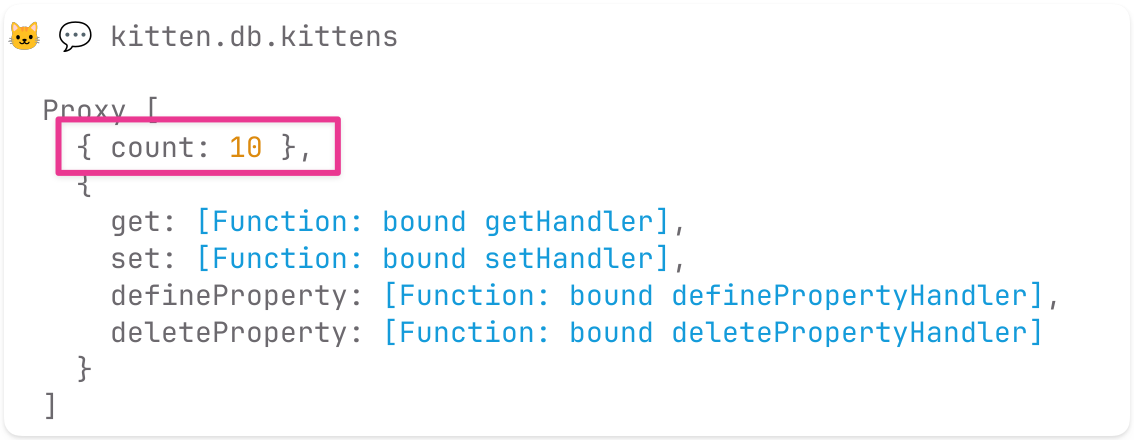
To look at your data without opening files, run kitten db inside the project folder to see the tables, and kitten db kittens to watch one table live. Or press s in the terminal where Kitten is running to open its interactive shell, and type kitten.db.kittens:
Buttons that talk to the server #
This is the example on Kitten's home page, and it shows what makes Kitten different from a plain web server. Make a new folder called counter, create an index.page.js in it and paste this:
kitten.db.counter ??= { count: 0 }

export default () => kitten.html`
<page css>
<h1>Counter</h1>
<${Count} />
<button name='update' connect data='{value: -1}' aria-label='decrement'>-</button>
<button name='update' connect data='{value: 1}' aria-label='increment'>+</button>
`

const Count = () => kitten.html`
<div id='counter' aria-live='assertive' morph style='font-size: 3em; margin: 0.25em 0;'>
${kitten.db.counter.count}
</div>
`

export function onUpdate (data) {
kitten.db.counter.count += data.value
this.send(kitten.html`<${Count} />`)
}
Run kitten, open https://localhost and press the buttons.
There's no client-side JavaScript written by you here. Each button has name='update' and connect, so when you press it, Kitten sends an event to the server, where the onUpdate function runs. That function changes the number in the database and sends back a fresh copy of the Count component. The morph attribute tells Kitten to swap the new version into the page without reloading it. Kitten calls this workflow Streaming HTML, and it uses WebSockets and htmx behind the scenes to make it work.
The css attribute on the <page> tag loads Water.css, a small stylesheet that makes plain HTML look decent. The aria-live and aria-label attributes make the counter usable with a screen reader. Restart the server and the count is still there, because it lives in kitten.db.
Kitten's file types #
The end of a file name tells Kitten what the file is:
- index.page.js: a page, answers GET requests at its path
- about.page.md: a page written in Markdown
- guestbook.post.js: answers POST requests, useful for forms (there are also .get.js, .put.js, .delete.js and the other HTTP methods)
- chat.socket.js: a WebSocket route
- Header.component.js: a reusable piece of HTML that the router ignores
- Main.layout.js: a layout shared by several pages
- main.script.js: runs once when the app starts, a good place to set up your database
- anything else: served as a static file (images, CSS, fonts)
Putting it online #
When your app is ready, push it to a git repository, log into a Linux server with systemd using a regular account (not root), install Kitten there and run:
kitten deploy https://codeberg.org/you/your-appKitten clones the repository, gets a TLS certificate and sets the app up as a systemd service on port 443. Because it runs under your user account, you also need to tell systemd to keep it running after you log out:
loginctl enable-linger yourusernameKitten doesn't add www for you. If you want it, add --aliases=www to the deploy command. To manage the service afterwards there's kitten status, kitten logs, kitten start, kitten stop, kitten enable and kitten disable.
If you only want to try someone else's Kitten app on your machine, kitten run with a git URL does the same thing as a regular process instead of a service.
What I like about it, and what to watch out for #
What I like is that Kitten respects the basics. A folder of HTML is a website. A JavaScript file is a page. The database is an object. You can understand every part of a small Kitten app by reading it, and a beginner sees something working in the first five minutes, which is how web development used to feel.
The things to watch out for are real, though. The API will change until version 1, so code you write today may need updates. Production means Linux with systemd, period. And the AGPL license means that if you modify Kitten itself and offer it to people over a network, you have to share those changes.
If any of this sounds good, the tutorials are the next step. They start at static HTML and go all the way to an end-to-end encrypted peer-to-peer chat, one small step at a time.
Sources #
- Kitten
- Kitten tutorials
- Kitten reference
- Kitten source code on Codeberg
- What is the Small Web?
- Small Technology Foundation
- Images from the Kitten website