

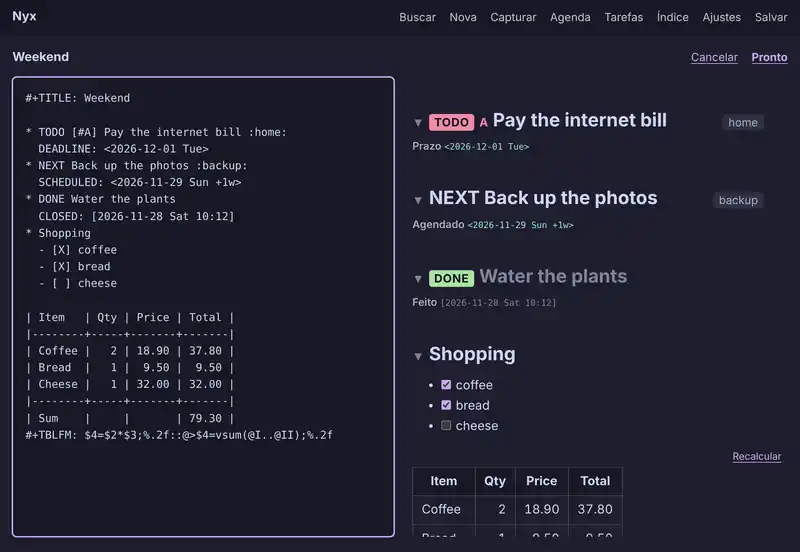
Nyx already had three versions: a Go server you can also use from the terminal, a static site generator in Zig, and a whole wiki in one HTML file. Now there's a fourth, and its pages are written in Org mode.
It started from a contraption I already had working in HTML and an idea from Marco. I only adapted it, and it was easy.
Like the third version, everything lives in a single file, nyx.html: the program, the theme and every page, each one in its own <script type="text/org"> block.1 Open it in a browser and it renders the wiki. Edit a page, press Ctrl+S, and the file writes a new copy of itself with your changes. There's no server, no database and no build step, and the whole thing is about 160 KB with the help pages included.
- Ctrl+K: search for a page, or create it
- E: edit the open page, Esc to finish
- Ctrl+S: save the file
- C: capture a note
- A: open the agenda
The pages are real Org. Headings take TODO states, priorities and tags, deadlines and scheduled dates with repeaters, property and logbook drawers. There are lists with checkboxes, tables with #+TBLFM formulas, source blocks, footnotes, macros, includes, links between pages and math, which comes out as MathML. You can cycle a task, tick a checkbox, clock in and out, refile, archive and recalculate a table right on the page. A JavaScript block has a run button, and its result goes under #+RESULTS:, the same as in Emacs.2
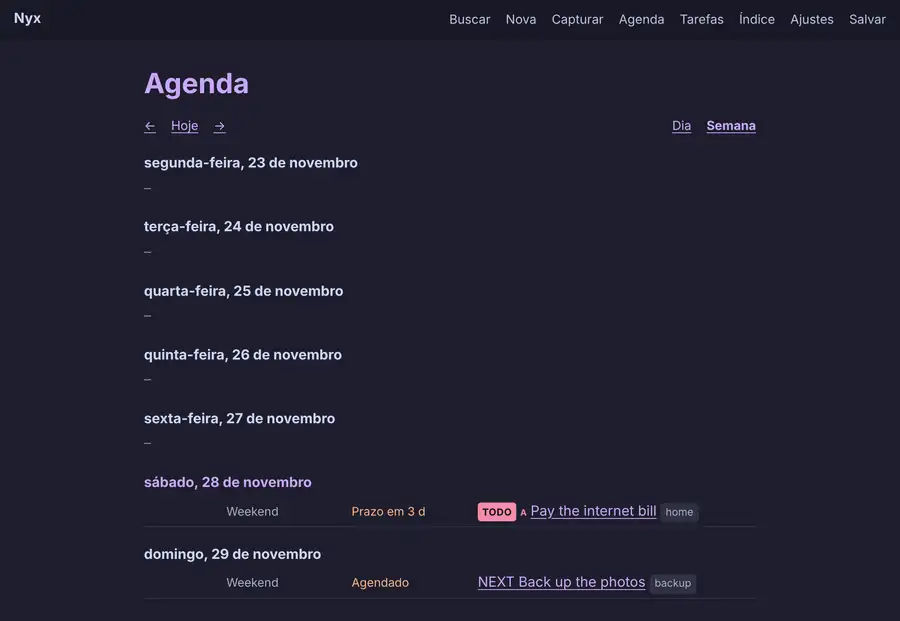
The agenda shows the day or the week across every page, and searches by tag and property use Org's own match syntax.
If you already keep .org files for Emacs, open their folder from Settings. The wiki reads each file as a page, writes back only what changed, and rereads anything edited outside it.3 Single pages and the whole wiki also export as .org.
The themes are the four Catppuccin flavors plus an automatic light and dark mode, with any of the 14 accent colors. Settings and extra CSS are edited inside the wiki and saved in the same file.
The code is at git.pablomurad.com/pablo/nyx-wiki4, under the MIT license. Download nyx.html, put it anywhere and open it.
Notes
-
Browsers skip a script tag whose type they don't know, so the Org text just sits in the page until the program reads it. ↩
-
The code runs isolated, with no access to the wiki or the file, and it's stopped after 10 seconds. ↩
-
This needs a browser with the File System Access API, so Chrome, Edge or Opera. Those can also save straight over
nyx.html, while Firefox and Safari download an updated copy instead. ↩