

asdf on Arch Linux: one tool for every language version
How I use asdf on Arch Linux to keep Node.js, Python and Go versions per project, away from pacman's rolling updates. Installing from the AUR, shell setup, .tool-versions, real terminal output, and why it works the same on any distro.
Contents
- What asdf is
- Why I use it
- Does this work on other distros?
- Installing on Arch
- Other ways, for any distro
- Telling your shell about it
- Your first language: Node.js
- Choosing a version
- How the switch works
- A second language: Python
- One file, several tools
- Coming from nvm, pyenv or rbenv
- Commands worth remembering
- Keeping it updated, and removing it
- Things to know before you start
Arch is a rolling release. A pacman -Syu brings the newest version of everything, Node.js and Python included. The system likes that. A project written for an older Node often doesn't. On my Arch machine, the languages my projects run on stay out of pacman's hands, and the tool that handles them is asdf.
What asdf is #
asdf is a version manager. It installs and switches versions of programming languages and tools: Node.js, Python, Ruby, Go, Elixir, Erlang, Java, Terraform, kubectl and hundreds more.
You've probably met tools that do this for one language: nvm for Node, pyenv for Python, rbenv for Ruby. asdf does the same job for all of them with one set of commands. Each language comes in through a plugin, and each project says which versions it wants in a small text file called .tool-versions.
Up to version 0.15, asdf was a set of Bash scripts that you loaded into your shell. Version 0.16 rewrote it in Go, so now it's a single binary. The current release is 0.20.2, from September 2026.
Why I use it #
- One tool and one set of commands for every language. Install, list, switch and remove work the same way for Node, Python or Go.
- Each project carries its own versions. The
.tool-versionsfile goes into git with the code, so whoever clones it (me on another machine, someone else, a CI job) gets the same versions. - The switch is automatic. You
cdinto a folder and the right version is there. There's nonvm useto remember. - The system is left alone. Everything asdf installs lives in
~/.asdf, with nosudo. The Python that pacman installs, and that Arch's own tools depend on, is never touched. - Upgrades become a decision. When pacman moves Node to a new major version, my projects don't move with it. I change a version when I choose to.
- It reads the files other managers use. With one config line, asdf respects
.nvmrc,.node-versionand.ruby-version, so moving from nvm or rbenv doesn't mean editing every project.
Does this work on other distros? #
Yes. asdf is a single binary plus a folder of shims on your PATH, and nothing in it depends on Arch. The setup, the commands and the .tool-versions file in this post are the same on Debian, Ubuntu, Fedora, openSUSE or any other Linux, and on macOS too.
Two things change from distro to distro:
- How you install asdf. The AUR is an Arch thing. On other distros you use the pre-compiled binary,
go install, Homebrew, orzypperon openSUSE. They're all below. - The names of the packages some plugins need, like the build dependencies for Python. I'll show the Arch names, and each plugin's page lists the others.
The release page has builds for Linux and macOS only. On Windows, the way to use asdf is inside WSL.
Installing on Arch #
asdf isn't in the official repositories. It lives in the AUR, as asdf-vm.
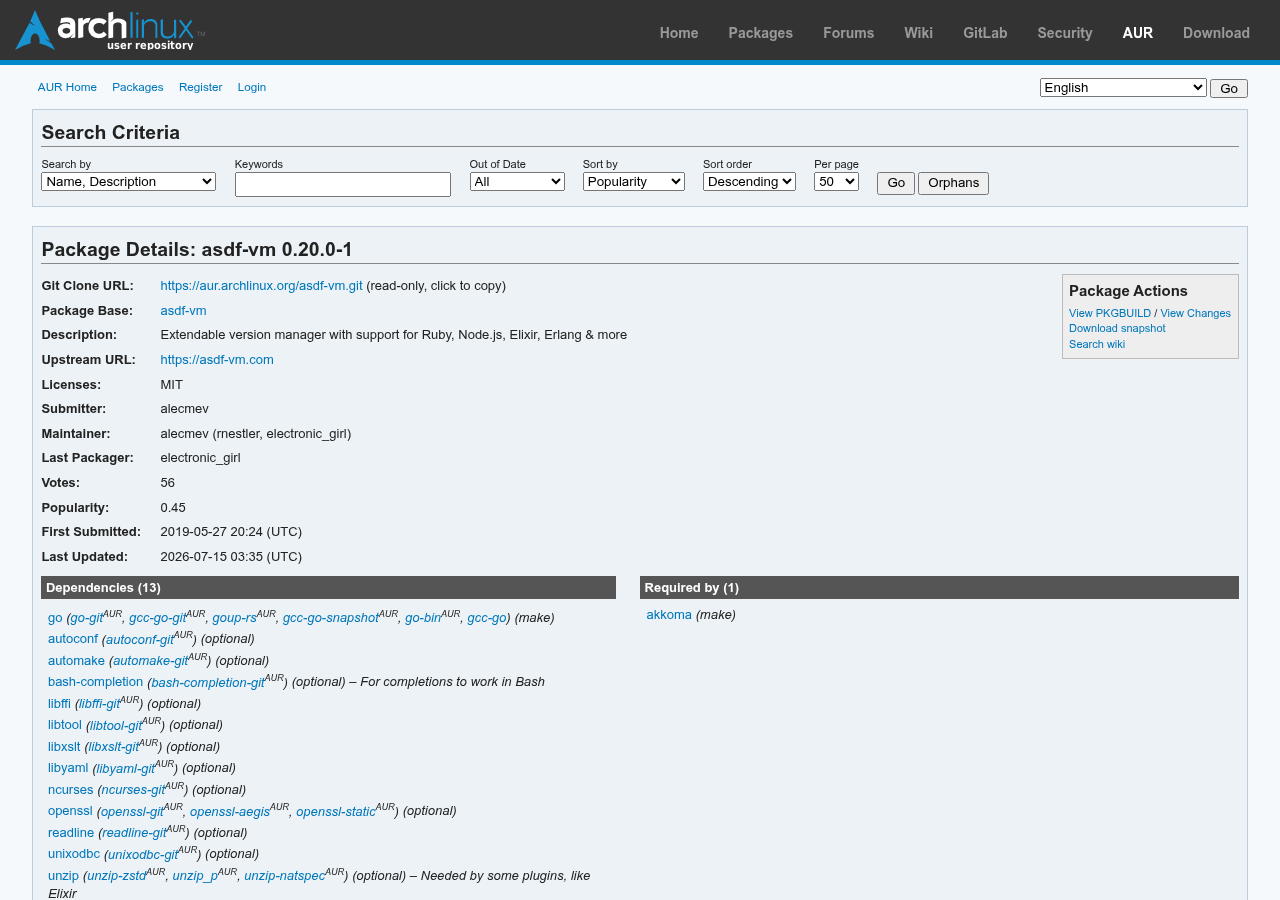
With an AUR helper like yay or paru:
yay -S asdf-vmWithout a helper, the manual way, which needs git and base-devel:
sudo pacman -S --needed git base-devel
git clone https://aur.archlinux.org/asdf-vm.git
cd asdf-vm
makepkg -si
The package compiles asdf from source with Go (makepkg pulls go in as a build dependency), puts the binary at /usr/bin/asdf, and installs completions for Bash, Zsh and Fish.
One warning: search the AUR for "asdf" and you'll also find python-asdf. That one is a Python library for the Advanced Scientific Data Format, used in astronomy. It has nothing to do with this.
Other ways, for any distro #
The pre-compiled binary works everywhere. Download the archive for your system from the releases page, extract it and put asdf somewhere on your PATH:
mkdir -p ~/.local/bin
curl -LO https://github.com/asdf-vm/asdf/releases/download/v0.20.2/asdf-v0.20.2-linux-amd64.tar.gz
tar -xzf asdf-v0.20.2-linux-amd64.tar.gz -C ~/.local/bin asdf
type -a asdf
If you already have Go, one line does it:
go install github.com/asdf-vm/asdf/cmd/asdf@v0.20.2That puts the binary in ~/go/bin, which then needs to be on your PATH.
Telling your shell about it #
asdf works through shims: small programs in ~/.asdf/shims with the names of the tools you install (node, npm, python, go). That folder has to come first in your PATH, before /usr/bin, or your shell will find pacman's versions first.
For Bash, add this to ~/.bash_profile:
export PATH="${ASDF_DATA_DIR:-$HOME/.asdf}/shims:$PATH"For Zsh, the same line goes in ~/.zshrc.
For Fish, add this to ~/.config/fish/config.fish:
if test -z $ASDF_DATA_DIR
set _asdf_shims "$HOME/.asdf/shims"
else
set _asdf_shims "$ASDF_DATA_DIR/shims"
end
if not contains $_asdf_shims $PATH
set -gx --prepend PATH $_asdf_shims
end
set --erase _asdf_shims
On Arch, the AUR package already installed the completions. Bash needs the bash-completion package for them to work, and Zsh needs compinit enabled in your .zshrc. Fish picks them up on its own.
If you want asdf's data somewhere other than ~/.asdf, export ASDF_DATA_DIR before that PATH line. Most people never need to.
Open a new terminal and run asdf version to check that it's there. When I wrote this, the AUR package was at 0.20.0, two small releases behind 0.20.2. That gap is normal for the AUR, and everything in this post works on both.
Your first language: Node.js #
asdf does nothing until you add a plugin. Start with Node:
asdf plugin add nodejsThe Node plugin downloads the official pre-compiled binaries from nodejs.org, so there's nothing to compile. Its docs list curl, gawk and gpg as dependencies on Debian. On Arch, curl and gawk are already there on almost any install, and gpg comes from the gnupg package.
See what versions exist, and which is the newest:
asdf list all nodejs
asdf latest nodejs
asdf latest nodejs 22
Now install two versions. latest:22 means "the newest 22.x", resolved the moment you run it:
$ asdf install nodejs latest:22
Downloading node-v22.23.5-linux-x64.tar.gz...
-> https://nodejs.org/dist/v22.23.5/node-v22.23.5-linux-x64.tar.gz
Installing node-v22.23.5-linux-x64...
Installed node-v22.23.5-linux-x64 to /home/pablo/.asdf/installs/nodejs/22.23.5

$ asdf install nodejs latest:24
Installed node-v24.22.3-linux-x64 to /home/pablo/.asdf/installs/nodejs/24.22.3

$ asdf list nodejs
22.23.5
24.22.3
Choosing a version #
Installing a version doesn't activate it. If you try to run node now, asdf tells you so:
$ node --version
No version is set for command node
Consider adding one of the following versions in your config file at /home/pablo/.tool-versions
nodejs 24.22.3
nodejs 22.23.5
First, set a default for everything under your home folder. The -u flag writes to ~/.tool-versions:
$ asdf set -u nodejs 24.22.3
$ cat ~/.tool-versions
nodejs 24.22.3
$ node --version
v24.22.3
Then pin an older project to Node 22. Without a flag, asdf set writes a .tool-versions in the current folder:
$ cd ~/code/old-api
$ asdf set nodejs 22.23.5
$ cat .tool-versions
nodejs 22.23.5
$ node --version
v22.23.5
Step out of the folder and you're back on 24:
$ cd ~ && node --version
v24.22.3
asdf current shows which version is active and where that choice came from:
$ cd ~/code/old-api
$ asdf current
Name Version Source Installed
nodejs 22.23.5 /home/pablo/code/old-api/.tool-versions true
How the switch works #

When you type node, the shell finds ~/.asdf/shims/node first, because that folder is at the front of your PATH. The shim hands the call to asdf. asdf looks for a .tool-versions file in the current folder, then in each parent folder up to your home, reads the version it finds, and runs the real binary from ~/.asdf/installs.
A few things follow from that:
- Nothing runs when you
cd. The version is decided at the moment you run the command. - A
.tool-versionsin a subfolder wins over one in a parent folder, and the one in your home is the fallback. - An environment variable wins over all files.
ASDF_NODEJS_VERSION=22.23.5 node app.jsruns that one command on Node 22, wherever you are. -
asdf set python systemhands a tool back to the version pacman installed.
To see the real path behind a shim, use asdf which:
$ asdf which node
/home/pablo/.asdf/installs/nodejs/22.23.5/bin/node
A second language: Python #
Python is where asdf asks for more. The Python plugin uses pyenv's python-build, which compiles Python from source on Linux. So first install the build dependencies. On Arch, these are the ones pyenv lists:
sudo pacman -S --needed base-devel openssl zlib xz tk zstdThen the usual steps:
asdf plugin add python
asdf list all python 3.14
And the install itself:
$ asdf install python 3.14.10
Downloading Python-3.14.10.tar.xz...
-> https://www.python.org/ftp/python/3.14.10/Python-3.14.10.tar.xz
Installing Python-3.14.10...
Installed Python-3.14.10 to /home/pablo/.asdf/installs/python/3.14.10
The build takes a few minutes, depending on your machine. When it's done, python follows the same rules as node.
Pick an exact version here. At the time of writing, asdf latest python answers with a version that ends in t, like 3.15.2t. That t is the free-threaded build of Python, which runs without the GIL and isn't what most projects expect. asdf list all python 3.14 shows both, and the one without the t is the regular build.
One file, several tools #
A .tool-versions file can hold every language a project uses, one per line. Go, for example, has a plugin that downloads the official binaries:
$ cd ~/code/new-app
$ asdf plugin add golang
$ asdf set nodejs 24.22.3
$ asdf set golang 1.27.4
$ cat .tool-versions
nodejs 24.22.3
golang 1.27.4
Commit that file with the project. On a fresh machine, after adding the plugins, one command installs everything the file lists:
$ asdf install
version 1.27.4 of golang is already installed
version 24.22.3 of nodejs is already installed
$ go version
go version go1.27.4 linux/amd64
asdf also has an official GitHub Action that reads the same .tool-versions, so CI runs on the versions you use at home.
Coming from nvm, pyenv or rbenv #
If your projects already have .nvmrc, .node-version or .ruby-version files, asdf can read them. It ignores them by default, so a project with only an .nvmrc still gets your home version:
$ cd ~/code/legacy
$ cat .nvmrc
22.23.5
$ node --version
v24.22.3
Turn the support on with one line in ~/.asdfrc:
legacy_version_file = yesAnd now the .nvmrc is respected:
$ node --version
v22.23.5
$ asdf current nodejs
Name Version Source Installed
nodejs 22.23.5 /home/pablo/code/legacy/.nvmrc true
Support for these files comes from each plugin. The Node plugin reads .nvmrc and .node-version, and the Ruby plugin reads .ruby-version.
Remove nvm or pyenv afterwards, including the lines they added to your shell config. Two managers fighting over the PATH is a classic source of "why is this the wrong version".
Commands worth remembering #
-
asdf plugin add <name>: add a language -
asdf plugin list: plugins you have -
asdf plugin list all: every plugin in the shortname list -
asdf plugin update --all: update every plugin -
asdf list all <name>: every version available -
asdf latest <name> [prefix]: newest stable version -
asdf install <name> <version>: install a version -
asdf install: install everything the.tool-versionsfile lists -
asdf list <name>: installed versions -
asdf set <name> <version>: pin a version in this folder -
asdf set -u <name> <version>: set the default in your home -
asdf current: what's active here, and why -
asdf which <command>: real path of a program -
asdf where <name>: install folder of the current version -
asdf uninstall <name> <version>: remove a version -
asdf reshim <name> <version>: rebuild the shims -
asdf info: debug info for bug reports
The shortname list has a little over 800 plugins. For a tool that isn't in it, asdf plugin add <name> <git-url> adds the plugin straight from its repository.
Keeping it updated, and removing it #
asdf has no self-update command anymore. On Arch, it updates with the rest of your AUR packages:
yay -SyuPlugins update separately, and it's worth running this once in a while, because new language versions show up through them:
asdf plugin update --allasdf reshim rebuilds the shims. Run it when a command you just installed doesn't show up, which can happen after installing global packages with npm or pip.
To remove everything:
yay -Rns asdf-vm
rm -rf ~/.asdf ~/.tool-versions ~/.asdfrc
Then delete the shims line from your shell config.
Things to know before you start #
- Versions are exact. A
.tool-versionsfile never says "22" or "lts".latestandlatest:22exist only at install and set time, and they turn into a full number the moment you run them. That's on purpose: the same file gives the same versions on every machine. - Plugins are community projects, and their quality varies. The ones under
asdf-vmandasdf-communityon GitHub are the safest bet. A plugin is a set of scripts that runs on your machine, so look at the repository before adding one from a stranger. - Languages that compile from source take a while. Node and Go download binaries in seconds, while Python, Ruby and Erlang build on your machine and need their build dependencies installed first.
- Old tutorials are out of date. Anything that tells you to source
asdf.shor to runasdf global,asdf local,asdf shellorasdf updatewas written before 0.16. Today it's thePATHline,asdf setand your package manager.
There's also mise, which does the same job, is written in Rust and reads .tool-versions files too. If you ever want to try it, your project files come along.