

Crypto II: My .env for everyone
Second part of the Crypto series: SOPS and age lock the values inside a .env file and leave the names readable, so it can live in a public repository. How the encryption fits together, setting it up, daily use, and what still shows.
The first part of this series was about age, which locks a whole file at once. This one is about the file that ends up holding every password in a project: the .env. When I wrote about what a .env file is and how to use it well, the first rule was the usual one: keep it out of Git.
SOPS bends that rule. It encrypts the values inside a config file and leaves the names in the clear, so the file still reads like a config file, still shows up in a diff like one, and can sit in a public repository. Anyone can download it. Only someone holding the right age key can read the passwords.1
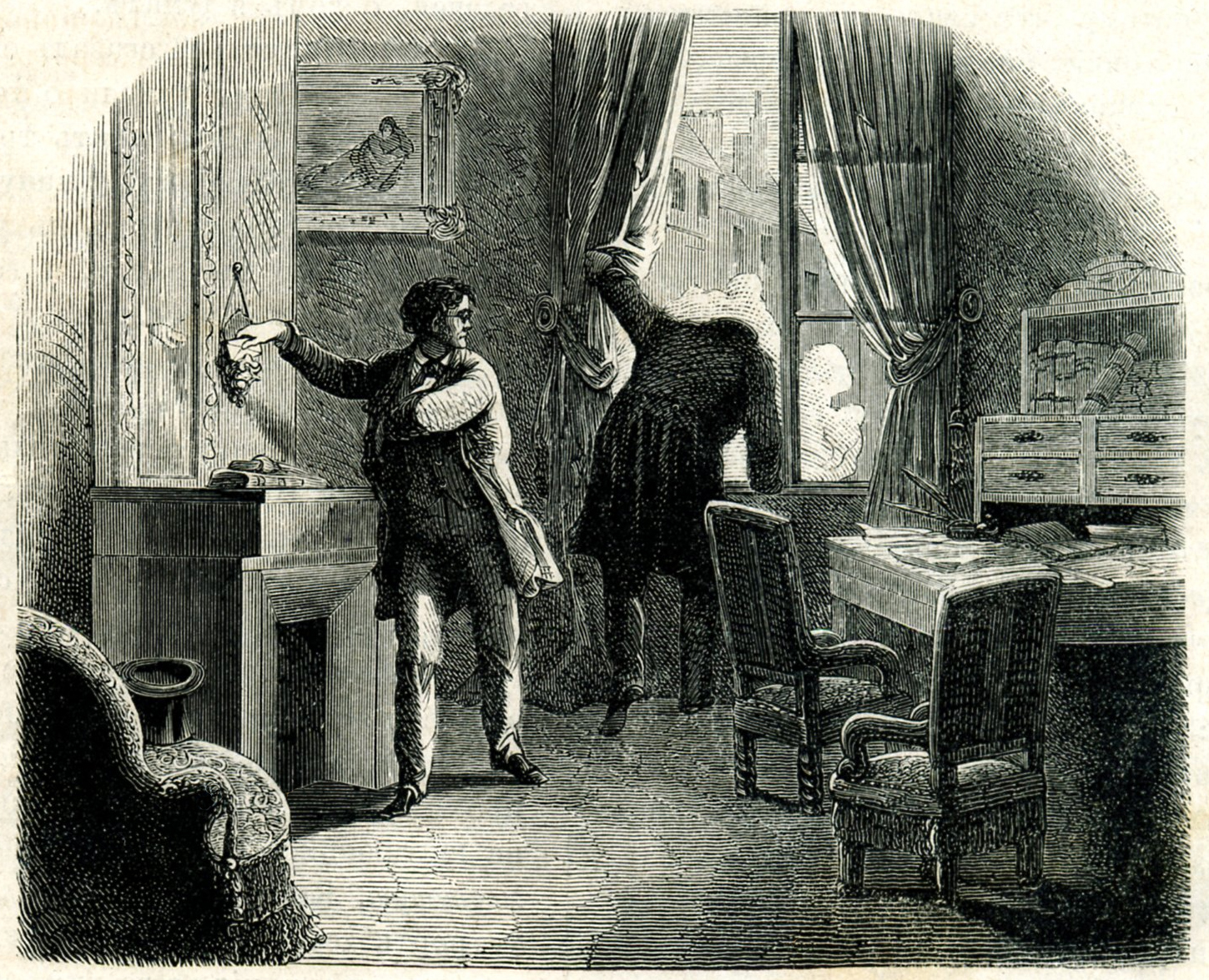
The cover is from Poe's "The Purloined Letter", where the letter everybody is hunting for hangs in a card rack in plain view.
Locked values, open names #
Here's a small .env for an imaginary app:
APP_NAME=lantern
DB_HOST=localhost
DB_USER=lantern
DB_PASSWORD=correct-horse-battery
SMTP_TOKEN=tk_93f1c7a0d2
After SOPS, with a rule that only encrypts names ending in _PASSWORD or _TOKEN, the same file has this shape (shortened, since the real lines are long):
APP_NAME=lantern
DB_HOST=localhost
DB_USER=lantern
DB_PASSWORD=ENC[AES256_GCM,data:3vQx...,iv:Wm1...,tag:Hq8...,type:str]
SMTP_TOKEN=ENC[AES256_GCM,data:Zr0F...,iv:pL2...,tag:c9A...,type:str]
sops_age__list_0__map_recipient=age1zduvpw5...
sops_age__list_0__map_enc=-----BEGIN AGE ENCRYPTED FILE-----\n...
sops_encrypted_regex=_(PASSWORD|TOKEN)$
sops_lastmodified=2026-11-25T02:10:00Z
sops_mac=ENC[AES256_GCM,data:...,type:str]
sops_version=3.13.3
The names stay readable, and so do the values nobody needs to hide. The two secrets became ENC[...] blocks. The sops_ lines at the bottom are the metadata SOPS needs to open the file again, and in YAML or JSON they go into a sops: section instead.
Without a rule, SOPS encrypts every value in the file and keeps only the names readable. Comments are always encrypted.
How the locks fit together #
There are two layers, and age is the outer one.
- When a file is encrypted for the first time, SOPS makes a random data key just for that file.
- Each value is encrypted with that data key using AES-256-GCM. Every value gets its own random IV (the
iv:part) and an authentication tag (tag:), andtype:remembers whether it was text, a number or a boolean. - The data key itself is encrypted with age, once for each recipient, and stored in the
sops_agelines. That's the only place age shows up. - Finally SOPS computes a MAC, a kind of checksum that can't be forged without the data key, over all the values, encrypted or not, and stores it encrypted in
sops_mac.
The MAC is what makes the file tamper-proof. If someone changes DB_HOST by hand, adds a line or deletes one, decryption fails with a MAC mismatch. It also means the file has to be edited through SOPS, even the parts in plain text.2
Source
digraph {
rankdir=LR
fontname="Helvetica"
margin="0.4,0.12"
node [shape=box, style=rounded, fontname="Helvetica", fontsize=11]
edge [fontname="Helvetica", fontsize=9, arrowsize=0.6]
key [label="your age key\n(private)"]
lock [label="sops_age lines\n(data key, locked)"]
data [label="data key\n(random, one per file)", color="#d93a2b", fontcolor="#d93a2b"]
vals [label="ENC[...] values\nAES-256-GCM"]
mac [label="sops_mac\nchecks every value"]
key -> lock [label="opens"]
lock -> data [label="gives"]
data -> vals [label="decrypts"]
data -> mac [label="verifies"]
}
Compared with plain age from the first part:
| age alone | SOPS with age | |
|---|---|---|
| Encrypts whole files | yes | yes |
| Keeps names and structure readable | no | yes |
| Encrypts only some values | no | yes |
| Useful diffs in Git | no | yes |
| Edit in place | decrypt, edit, encrypt again | sops edit |
| Hand secrets to a program | through a script | sops exec-env |
Source
| | age alone | SOPS with age |
|-+-----------+---------------|
| Encrypts whole files | yes | yes |
| Keeps names and structure readable | no | yes |
| Encrypts only some values | no | yes |
| Useful diffs in Git | no | yes |
| Edit in place | decrypt, edit, encrypt again | sops edit |
| Hand secrets to a program | through a script | sops exec-env |
SOPS doesn't replace age. It uses age for the one job age is best at, locking a small key for a list of people, and handles the file format around it.
Setting it up #
SOPS has ready binaries for Linux, macOS and Windows on its GitHub releases page, Homebrew has it as sops, and with Go installed go install github.com/getsops/sops/v3/cmd/sops@latest builds the latest one.
An age key where SOPS looks #
SOPS looks for age keys in a keys.txt file in a fixed place: ~/.config/sops/age/keys.txt on Linux, ~/Library/Application Support/sops/age/keys.txt on macOS and %AppData%\sops\age\keys.txt on Windows. A key made with age-keygen straight into that file works with no extra setup:
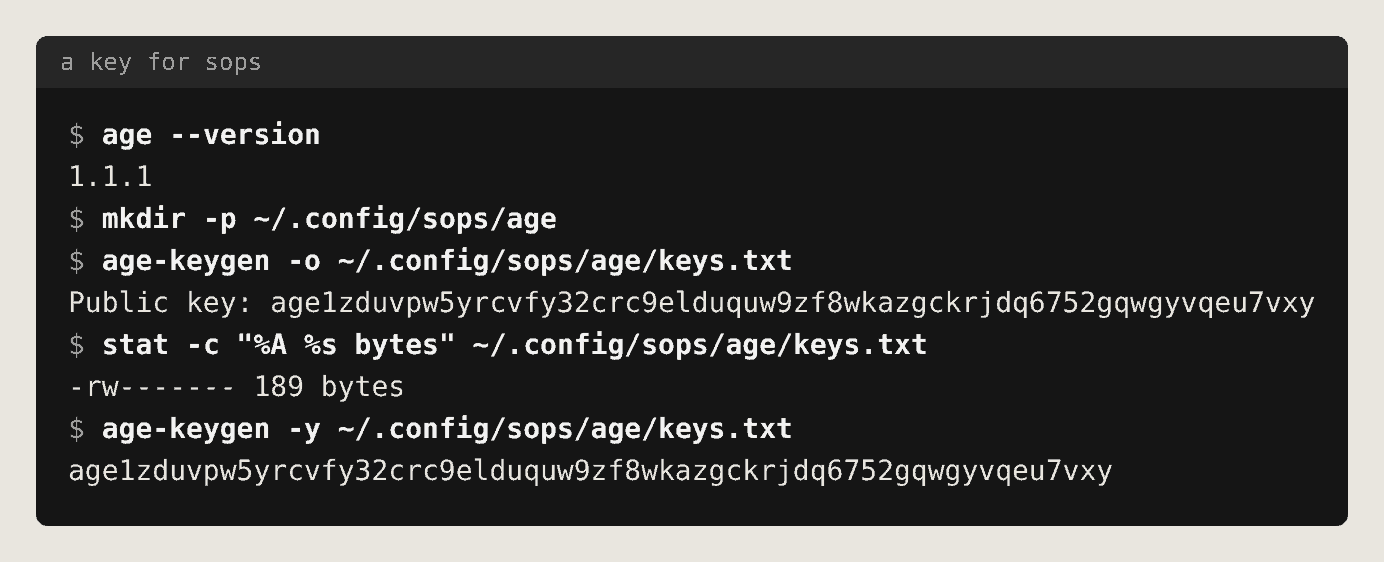
age-keygen already creates the file readable only by its owner. The age1... line it prints is the public half, the one that goes into the config below.
A key file somewhere else can be pointed to with SOPS_AGE_KEY_FILE. There's also SOPS_AGE_KEY_CMD, which runs a command that prints the key. That opens the door to pulling the key out of the KeePassXC vault from the first part instead of keeping a keys.txt on disk.
A .sops.yaml with the rules #
A .sops.yaml at the root of the repository tells SOPS which files to encrypt, for whom, and which values:
creation_rules:
- {path_regex: '\.enc\.env$', encrypted_regex: '_(PASSWORD|TOKEN)$', age: 'age1zduvpw5yrcvfy32crc9elduquw9zf8wkazgckrjdq6752gqwgyvqeu7vxy'}
That's ordinary YAML written in its compact, one-line form. path_regex picks the files, encrypted_regex picks the names whose values get encrypted, and age lists the recipients, separated by commas when there's more than one. Rules are checked from top to bottom and the first match wins. There are a few alternatives to encrypted_regex, like unencrypted_suffix, which leaves alone any name ending in _unencrypted. Only one of them can be used per file.
Encrypting #
$ sops encrypt app.env > app.enc.envSource
$ sops encrypt app.env > app.enc.envSOPS reads the format from the extension. For a file that doesn't end in .env, --input-type dotenv tells it what it's looking at. From here on, app.enc.env goes into Git and the plain app.env goes into .gitignore, or gets deleted.
Living with it #
Editing opens the decrypted file in the editor set in $EDITOR, waits for it to close, and encrypts again:
$ sops edit app.enc.envSource
$ sops edit app.enc.envReading it once, or turning it back into a plain file:
$ sops decrypt app.enc.env
$ sops decrypt app.enc.env > app.env
Source
$ sops decrypt app.enc.env
$ sops decrypt app.enc.env > app.env
The nicest command is exec-env. It decrypts the file into the environment of one program and nowhere else, so the secrets never touch the disk:
$ sops exec-env app.enc.env 'docker compose up -d'Source
$ sops exec-env app.enc.env 'docker compose up -d'Docker Compose fills in ${DB_PASSWORD} and the other variables in the compose file from the environment it was started with, which is exactly what exec-env gives it. For programs that insist on reading a file, exec-file hands them a temporary one instead.3
Git can show readable diffs too. With this line in .gitattributes:
*.enc.env diff=sopsdifferand this once per clone:
$ git config diff.sopsdiffer.textconv "sops decrypt"Source
$ git config diff.sopsdiffer.textconv "sops decrypt"git diff decrypts both versions before comparing them, for anyone who has the key. Everyone else sees the encrypted lines change.
Adding and removing people #
To give someone access, their age1... key goes into the age list in .sops.yaml, and then:
$ sops updatekeys app.enc.envSource
$ sops updatekeys app.enc.envSOPS shows what will change and asks before doing it. This locks the existing data key for the new recipient without touching the values.
Removing someone is different. They may already have a copy of the data key, so after taking their key out of the list, the data key itself has to change:
$ sops updatekeys app.enc.env
$ sops rotate -i app.enc.env
Source
$ sops updatekeys app.enc.env
$ sops rotate -i app.enc.env
rotate makes a new data key and encrypts every value again. The SOPS docs recommend running it from time to time anyway.
What still shows #
SOPS hides the values. Everything else is public once the file is:
- The names, the structure and the values left in plain text. A line called
STRIPE_SECRET_KEYsays a lot even encrypted. - The length of each secret. AES-GCM doesn't pad, so the encrypted data grows with the original, and a short password still looks short.
- The history. A password committed in plain text yesterday is still in yesterday's commit, and encrypting it today doesn't help. The only fix is to change the password.
- The private key is the whole game. It needs a backup somewhere safe, and if it leaks, every secret ever encrypted with it has to be changed, not just re-encrypted.
With that in mind, the .env can go where everyone can see it.
Notes
SOPS stands for Secrets OPerationS. It started at Mozilla in 2015 and was donated to the CNCF in 2023, where it lives as a sandbox project under the getsops name. Besides age it works with PGP and with the key services of AWS, Google Cloud, Azure and HuaweiCloud. The current version at the time of writing is 3.13.3. ↩
There's a
--mac-only-encryptedoption that computes the MAC only over the encrypted values, which leaves the plain ones free to be edited by hand. ↩By default
exec-filepasses the file through a FIFO, a special file that only exists in memory. Windows has no FIFOs, so there it needs--no-fifo, and then a real temporary file is written. ↩