

The .env file: what it is, where it came from and how to use it well
That little .env file at the root of almost every project: what environment variables are, why config lives there, how Foreman and a 2012 Ruby gem started it all, how to use it in Node, Python, Ruby, PHP and Docker, and the ways it leaks.
Contents
- First, what is an environment variable?
- Why configuration lives there
- The problem the .env file solves
- Where it came from
- What goes inside
- There's no official standard
- How to use it
- Node.js
- Python
- Ruby
- PHP
- The shell
- Docker Compose
- Who wins when a variable exists twice
- .env.example and .gitignore
- The front-end trap
- How .env files leak
- Environment variables are not a safe
- A short checklist
Open almost any modern project and you'll find a small file at the root called .env. It's plain text, it doesn't show up in a plain ls because of the dot, and it often holds the most sensitive things in the whole project: database passwords, API keys, tokens. Most people learn to use it by copying someone else's, without ever hearing where it came from or why it looks the way it does. So let's start from the ground up.
First, what is an environment variable? #
Every program running on your computer is a process, and every process gets a small list of name and value pairs when it starts. That list is its environment. It's inherited: when your shell starts a program, the program gets a copy of the shell's environment, and if that program starts another one, the copy keeps going down the chain.
You can look at yours right now:
env
echo $HOME
echo $PATH
HOME tells programs where your home folder is. PATH tells the shell where to look for commands. Nobody wrote those values into the programs. The programs read them from the environment when they need them.
Your own code can do the same, and every language has a way in:
# Python
import os
db_url = os.environ.get("DATABASE_URL")

// Node.js
const dbUrl = process.env.DATABASE_URL;

# Ruby
db_url = ENV["DATABASE_URL"]

// PHP
$dbUrl = getenv('DATABASE_URL');
To set a variable for a single command, write it before the command: DATABASE_URL=postgres://localhost/myapp python app.py. To set it for the rest of the terminal session, use export DATABASE_URL=postgres://localhost/myapp.
Why configuration lives there #
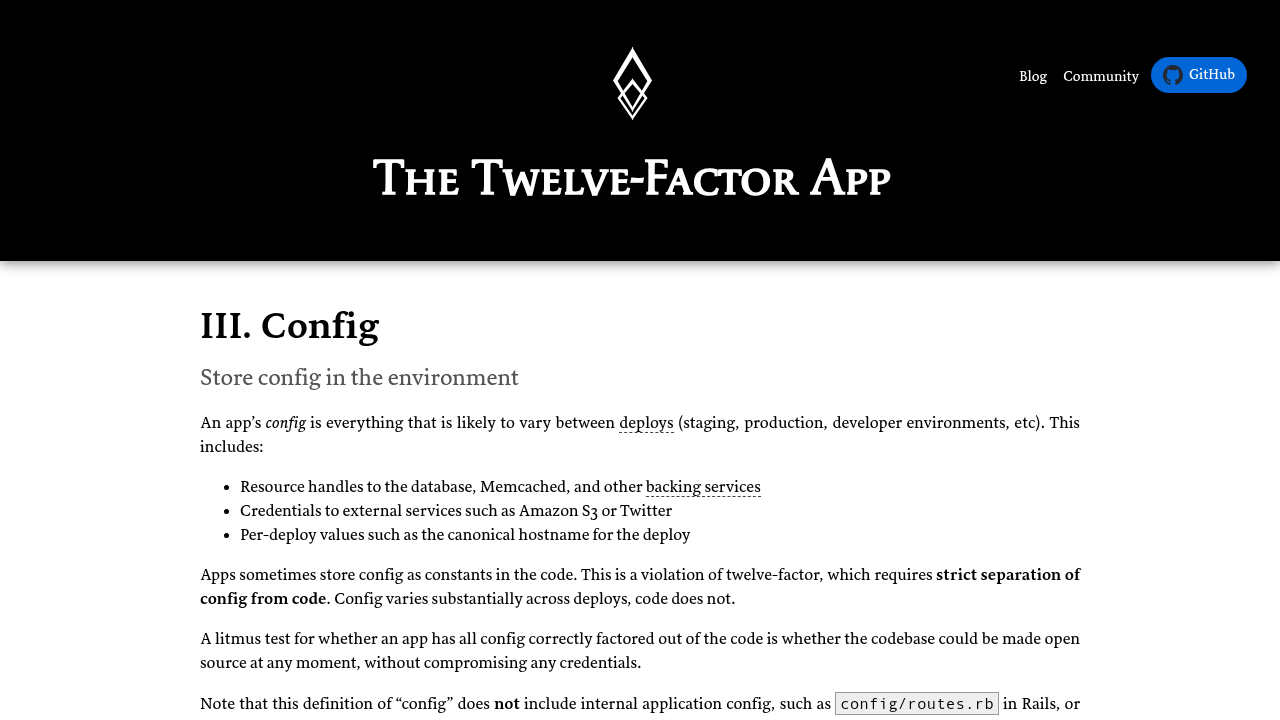
Around 2011, developers at Heroku published The Twelve-Factor App, a short set of rules for building web apps that behave well on servers. The third factor, Config, says that everything that changes between your laptop, a test server and production (database addresses, credentials for outside services, the hostname of each deploy) belongs in environment variables, kept apart from the code.
The test they propose is a good one: could you make your code open source right now without leaking a single credential? If a password is written inside a config.py, the answer is no. If the code reads it from os.environ, the answer is yes, and the same code runs everywhere, with each machine supplying its own values. The text also explains why environment variables beat config files: they're hard to commit to a repository by accident, and they work the same way in every language and operating system.
The problem the .env file solves #
The twelve-factor rule works beautifully on a server, where the platform sets the variables for you. On your own machine it gets old fast. The project needs eight variables, so every new terminal means typing eight export lines. Then you open a second project that uses the same names with different values.
The .env file is the shortcut. You write the variables once, in a file next to the code, and a small library reads that file when the app starts and puts each line into the process environment. The code itself doesn't change. It keeps reading os.environ or process.env, with no idea where the values came from.
Where it came from #
Heroku had a tool for running apps on your own machine called Foreman, and it already did this: if a .env file existed in the current folder, Foreman read the environment from it before starting the app. The catch was that it only worked for processes started through Foreman. A Rails console or a rake task opened by hand didn't see any of it.
In July 2012 a Ruby gem called dotenv appeared to close that gap, with a first commit titled "Load ENV from .env". Its README explains the problem in those terms: Foreman loads .env for what's in your Procfile, but things get difficult when you want a console or a rake task.
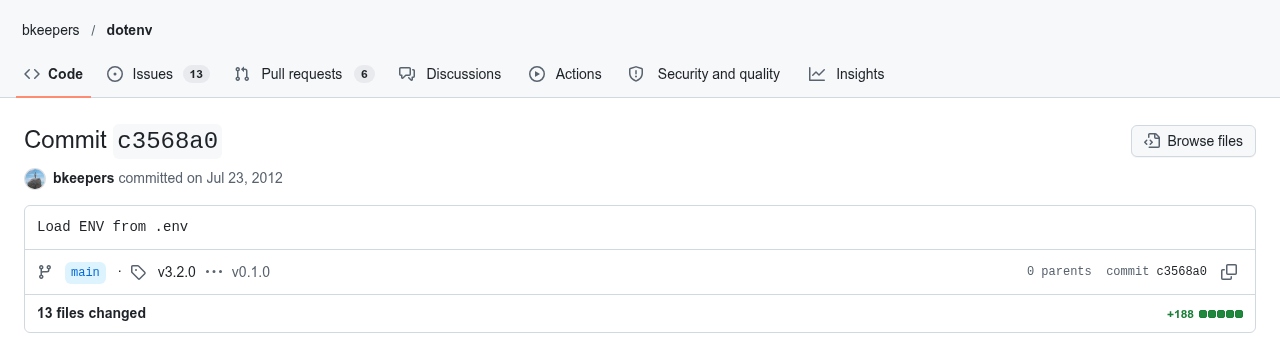
The whole parser in that first version was one line of Ruby:
self[$1] = $2 if line =~ /\A([\w_]+)=(.*)\z/Read each line, and if it looks like NAME=value, keep it. Everything that came later (quotes, comments, multi-line values, variable expansion) was built on top of that one idea.
It spread fast. The dotenv package for Node.js was first published on npm in July 2013, and ports followed for Python, PHP, Go, Rust and pretty much everything else. Then the runtimes started doing it themselves. Node.js 20.6.0, in 2023, added a --env-file flag, and Node.js 21.7.0, in March 2024, added process.loadEnvFile(). Bun reads .env files on its own, and Docker Compose reads the .env in the project folder to fill in the variables of your compose file.
What goes inside #
# Database
DATABASE_URL=postgres://app:devpassword@localhost:5432/myapp

# Outside services
STRIPE_SECRET_KEY=sk_test_123
MAIL_FROM="My App <hello@example.com>"

# Settings
DEBUG=true
PORT=3000
The rules most libraries agree on:
- One variable per line, written as
NAME=value. - No spaces around the
=.PORT = 3000breaks in some parsers and in the shell. - Names in uppercase with underscores. It's a convention, and everybody follows it.
- Lines that start with
#are comments. - Quote values that have spaces or special characters. Double quotes usually accept escapes like
\nand, in some libraries, references to other variables like${HOME}. Single quotes keep the text exactly as written, which is what you want for a password with a$in it. - Everything is a string.
PORT=3000reaches your code as the text "3000", andDEBUG=falseas the text "false".
That last one bites people. In Python, if os.environ.get("DEBUG"): is true even when the file says DEBUG=false, because "false" is a non-empty string. Convert the values yourself, check the ones that are required when the app starts, and stop with a clear error if something is missing. Finding out at boot is much better than finding out in the middle of a payment.
There's no official standard #
Nobody ever wrote the .env format down as a specification. Each library grew its own rules, and they disagree at the edges: multi-line values, ${VAR} expansion, export at the start of a line, comments after a value, which file wins when two of them define the same name. When Node.js added native support, the first version didn't handle multi-line values or variable expansion, both of which the npm package already did.
So keep your .env boring. Simple names, simple values, quotes only when needed, no tricks. A boring file reads the same in every tool.
How to use it #
Node.js #
On Node 20.6 or newer, no package is needed:
node --env-file=.env app.jsOr from inside the code:
process.loadEnvFile();
console.log(process.env.PORT);
On older versions, or if you want the extra features, use the package:
npm install dotenvrequire('dotenv').config();
console.log(process.env.PORT);Python #
pip install python-dotenvimport os
from dotenv import load_dotenv
load_dotenv()
port = int(os.getenv("PORT", "8000"))Ruby #
Add the gem to the Gemfile:
gem 'dotenv', groups: [:development, :test]In Rails it loads by itself. In plain Ruby, put require 'dotenv/load' at the top of the app.
PHP #
Laravel uses a .env file out of the box, through the phpdotenv library, and reads it with env('DB_PASSWORD') inside the config files. Outside Laravel, phpdotenv works on its own with Composer.
The shell #
If the file is simple enough for the shell to understand, bash can load it:
set -a
source .env
set +a
set -a marks every variable defined after it for export, so the programs you start from that terminal see them. Keep in mind that this runs the file as shell code, so only do it with a file you wrote yourself.
Docker Compose #
Here there are two things that look alike and do different jobs. The .env in the project folder is read by Compose itself, to fill in ${VARIABLES} inside compose.yaml. The env_file: .env option, under a service, is what actually passes the variables into the container. Many "my container can't see the variable" problems come from mixing the two up.
Who wins when a variable exists twice #
By default, a variable that already exists in the environment wins over the one in the file. The Ruby gem does this on purpose, on the idea that the deploy environment knows more about the configuration than the app does, and Node's native loader has worked the same way since 20.7.0. On a server this is a gift: the real values are set by the system, and a forgotten .env can't override them.
It's also the most common reason for "I changed the .env and nothing happened". Before anything else, check whether that variable is already exported in your shell with echo $NAME.
.env.example and .gitignore #
The .env file itself almost never belongs in git. What goes in is a template, usually called .env.example, with every name the app needs and fake values or blanks:
DATABASE_URL=postgres://user:password@localhost:5432/myapp
STRIPE_SECRET_KEY=
DEBUG=false
PORT=3000
Whoever clones the project copies it and fills in their own values:
cp .env.example .envAnd .gitignore gets these lines:
.env
.env.*
!.env.example
The last line is an exception, so the template still gets committed. Many frameworks also use a family of files, like .env.development, .env.production and .env.local, loaded in a fixed order. The .local ones are personal and stay out of git.
The front-end trap #
Tools like Vite and Next.js read .env files too, with a twist. Variables with a special prefix, VITE_ in Vite and NEXT_PUBLIC_ in Next.js, are copied into the JavaScript that goes to the browser. That's how you hand a public API address to the front end. It also means that a secret key with that prefix is public, readable by anyone who opens the developer tools. If it has the prefix, treat it as something you'd print on a billboard.
How .env files leak #
The first way is git. Someone commits the .env by mistake, notices, deletes it in the next commit and thinks it's over. The file is still in the history, and anyone who clones the repository can get it back. If a secret ever reached a remote repository, revoke it and create a new one. Cleaning the history comes after that and doesn't replace it.
The second way is the web server. If the project folder is also the folder the server publishes, a request to https://yoursite.com/.env may hand over the whole file, and bots make that request all day, on every site they can find. In 2024, researchers at Palo Alto Networks described an extortion campaign that started exactly like this: exposed .env files on at least 110,000 domains, with more than 90,000 unique variables collected, about 7,000 of them for cloud services.
The defense is to keep the .env out of the public folder (most frameworks already publish a public/ folder one level below the project root, and the .env lives above it) and to tell the web server to refuse dotfiles. In nginx:
location ~ /\.(?!well-known) {
deny all;
}
The well-known exception keeps /.well-known/, which certificates and a few other standards need, working.
Environment variables are not a safe #
A .env keeps secrets out of your code, and that's the whole job. Once loaded, the values sit in the process memory as plain text. Child processes inherit them. On Linux, a process running as the same user can usually read them from /proc/<pid>/environ. Error trackers and debug pages sometimes dump the entire environment into a report. Even the README of the Ruby gem says it was made for development, and that production usually has better ways to handle configuration.
On a server, prefer what the platform gives you: the variables panel of your host, systemd's EnvironmentFile= with the file readable only by the service's user, Docker secrets, or a proper secret manager once the project grows. And give each environment its own credentials, so a leaked development key opens nothing that matters.
A short checklist #
-
.envin.gitignore,.env.examplecommitted. - The .env outside the public folder, and a web server that refuses dotfiles.
- Nothing secret with a
VITE_orNEXT_PUBLIC_prefix. - Values converted and checked when the app starts.
- A leaked secret gets revoked, not just deleted.
- Different credentials for development and production.