

A different kind of computer II: fantasy consoles
Fantasy consoles are computers that never existed, with tiny screens, 16 colours and limits chosen on purpose. A tour of PICO-8, TIC-80, WASM-4 and Picotron, and a small Pyxel game in Python you can run today.
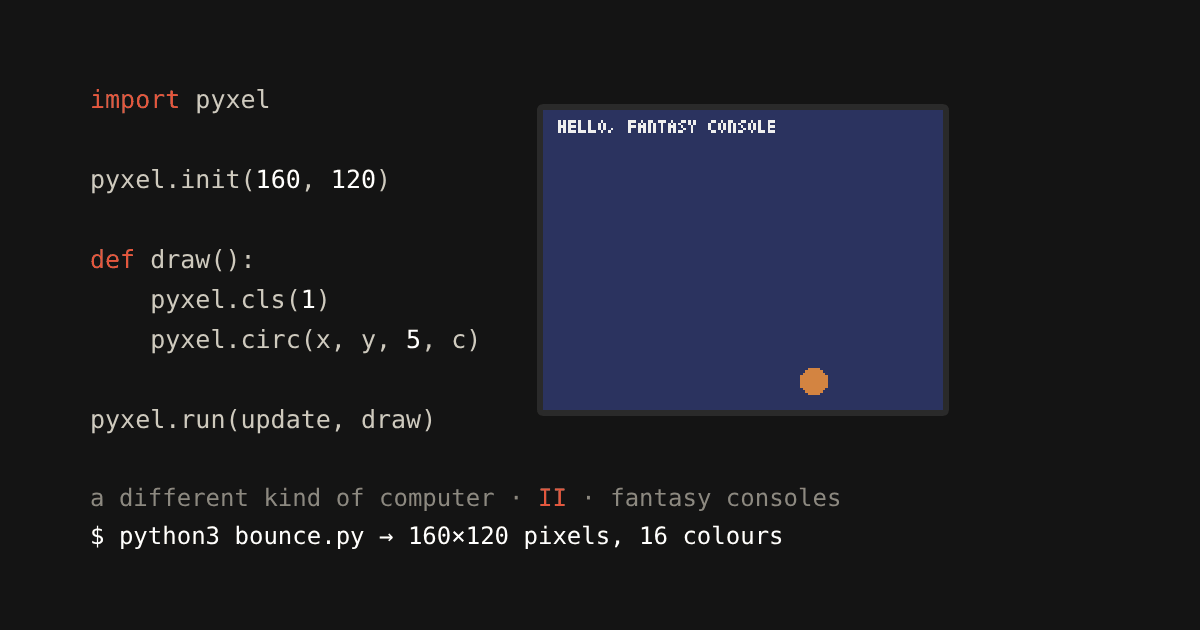
A fantasy console is a computer that was never built. It exists only as a program, but it behaves like hardware: it has a fixed screen size, a fixed palette, a small sound chip and a hard limit on how much code and art fit in a game. It also comes with its own tools (a code editor, a sprite editor, a map editor, a music tracker) and it saves everything into a single small file called a cartridge, which anyone else with the same machine can load and play.
The esoteric languages from earlier in this series took things away from the programmer as a joke or as an experiment. Fantasy consoles also take things away, but for a practical reason. When the screen is tiny and the palette has 16 colours, a small game becomes something one person can actually finish.
Where the name comes from #
The term comes from Joseph White, known as zep, the developer behind Lexaloffle Games. His PICO-8 was first shown on 9 May 2014 at Pico Pico Cafe, still under the name PICO-BASIC, and was released in 2015. The official page describes it as "a fantasy console for making, sharing and playing tiny games and other computer programs", and says its limitations are "carefully chosen to be fun to work with".

The boot screen already says a lot about the idea. There is no welcome wizard and no template gallery. The machine turns on, prints its version and waits for a command, the way home computers did in the eighties. Typing help is the tutorial.
These are the numbers Lexaloffle publishes for PICO-8:
| part | PICO-8 |
|---|---|
| display | 128x128 pixels, 16 colours |
| cart | 32k |
| sound | 4 channels |
| code | P8 Lua |
| CPU | 4M vm instructions per second |
| sprites | 256 sprites of 8x8 pixels |
| map | 128x32 tiles |
| price | $14.99 |
Source
| part    | PICO-8                        |
|---------+-------------------------------|
| display | 128x128 pixels, 16 colours    |
| cart    | 32k                           |
| sound   | 4 channels                    |
| code    | P8 Lua                        |
| CPU     | 4M vm instructions per second |
| sprites | 256 sprites of 8x8 pixels     |
| map     | 128x32 tiles                  |
| price   | $14.99                        |
The sound line on the official page is a little less formal than that.1 P8 Lua is a dialect of Lua, a small scripting language that is easy to read even if you have never seen it. PICO-8 runs on Windows, macOS, Linux and the Raspberry Pi, and it can export a game as a web page or as a standalone program, so the people playing it don't need to own PICO-8.
Cartridges you can look at #
PICO-8 saves cartridges as PNG images. The picture is the label of the game, and the code, sprites, map and music ride inside the pixels. A cart is something you can post on a forum like any other image, and anyone can download it, open it in PICO-8 and read the full source.2
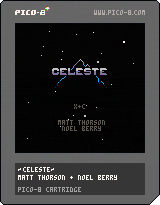
That one is Celeste, which started as a PICO-8 game made in four days for a game jam.3 Most carts live on the Lexaloffle BBS, and PICO-8 has a built-in browser called SPLORE that lists them, downloads them and runs them without leaving the machine. Reading other people's carts is one of the best ways to learn, because every game in there is also its source code.
The other machines #
PICO-8 opened the door, and other people built their own imaginary hardware with different limits.
TIC-80 calls itself "a fantasy computer for making, playing and sharing tiny games". It was created by Vadim Grigoruk (nesbox), first released in March 2017, and it is open source under the MIT license. The screen is a little wider, 240x136, still with 16 colours, and it takes up to 64KB of code in any of fourteen languages: Lua, Ruby, JavaScript, MoonScript, YueScript, Fennel, Scheme, Squirrel, Wren, WebAssembly, Janet, Python, MiniScript and Gravity. There is a paid PRO build, but the free one is complete enough to make and share games, and the site hosts a large collection of carts that you can browse from inside the console with the surf command.

WASM-4 goes further back in time. Its screen is 160x160 with only 4 colours, which you can redefine, and the sound has 2 pulse channels, 1 triangle and 1 noise, close to what an 8-bit console had. Memory is 64KB, carts are limited to 64KB, and a game gets 1,024 bytes of disk to save progress. The interesting choice is the language: a cart is a WebAssembly file, so you can write it in Rust, Go, AssemblyScript or anything else that compiles to WebAssembly. It also has online multiplayer with rollback netcode built in, which is unusual for something this small.
Lexaloffle kept building as well. Voxatron is "a fantasy console and collection of games made entirely out of voxels", little 3D cubes instead of flat pixels. Picotron is what Lexaloffle calls a fantasy workstation: a whole imaginary desktop with a 480x270 screen, 64 colours and a 16-channel synthesizer. It is still in alpha.
Those are only the best known. A curated list on GitHub keeps track of dozens of these machines, and a few more are worth a quick look. LIKO-12 has a 192x128 screen, runs Lua and is open source under MIT. MicroW8 gives you 320x240 pixels with 256 colours and takes WebAssembly. nano Jammer shrinks the screen to 64x64 and runs in the browser. And Varvara, built on the uxn virtual machine, is programmed in Uxntal, a small language in the style of Forth.
The biggest difference between them is the size of the canvas. Counting the pixels on each screen shows how much room each machine gives you:
Pixels on screen, in thousands
Source
type: bar
title: Pixels on screen, in thousands
machine,thousand pixels
PICO-8,16.4
WASM-4,25.6
TIC-80,32.6
Picotron,129.6
And here is the short version of everything above:
Source
---
/* cssv:title Fantasy consoles side by side */
/* cssv:description Screen, palette, language and price, as published by each project */
table { border-collapse: collapse; width: 100%; font: 14px/1.4 system-ui, sans-serif; }
th, td { padding: 6px 8px; border-bottom: 1px solid #e4e0d8; text-align: left; vertical-align: top; }
th { background: #141414; color: #fff; font-weight: 600; }
td[data-col="machine"] { font-weight: 600; }
td.number, th.number { text-align: right; }
@media (max-width: 480px) { table { font-size: 12px; } th, td { padding: 5px 4px; } }
---
machine,screen,colours,code,price
PICO-8,128x128,16,P8 Lua,$14.99
TIC-80,240x136,16,14 languages,free
WASM-4,160x160,4,WebAssembly,free
Picotron,480x270,64,Lua,$19.99
Pyxel,any,16,Python,free
The loop inside every one of them #
Underneath the different specs, all of these machines run games the same way. Your program never waits for the player. Instead, the console calls two pieces of your code again and again, many times per second: one that updates the state of the game (positions, scores, collisions) and one that draws the current state on the screen.
Source
digraph {
  rankdir=LR;
  node [shape=box, style=rounded, fontname="Helvetica", margin="0.4,0.12"];
  edge [fontname="Helvetica"];
  start [label="start"];
  update [label="update\nmove things, read buttons"];
  draw [label="draw\nclear screen, paint frame"];
  start -> update;
  update -> draw;
  draw -> update [label="next frame"];
}
In PICO-8 these are the functions _update() and _draw(). TIC-80 uses a single function, TIC(), which it calls 60 times per second. Pyxel asks you to pass both functions to pyxel.run(). Once this loop makes sense, moving from one console to another is mostly a matter of learning new function names.
A first game in Python with Pyxel #
Pyxel is "a retro game engine for Python" by Takashi Kitao, free and open source under the MIT license. It follows the same rules as the consoles above: 16 colours, 4 sound channels, built-in editors for images, tilemaps and music. Since it runs on plain Python, it is the shortest way to try the idea if Python is already on your computer.
$ pip install pyxel
$ python3 -c "import pyxel; print(pyxel.VERSION)"
3.0.4
$ python3 bounce.py
Source
$ pip install pyxel
$ python3 -c "import pyxel; print(pyxel.VERSION)"
3.0.4
$ python3 bounce.py
This is the whole of bounce.py, a ball bouncing around a 160x120 screen:
import pyxel

pyxel.init(160, 120, title="bounce")
x, y, dx, dy = 20, 30, 2, 1

def update():
    global x, y, dx, dy
    x, y = x + dx, y + dy
    if x < 6 or x > 153: dx = -dx
    if y < 16 or y > 113: dy = -dy

def draw():
    pyxel.cls(1)
    pyxel.text(6, 4, "HELLO, FANTASY CONSOLE", 7)
    pyxel.circ(x, y, 5, 8 + pyxel.frame_count // 15 % 4)

pyxel.run(update, draw)
And this is what it produced, recorded by Pyxel itself:4
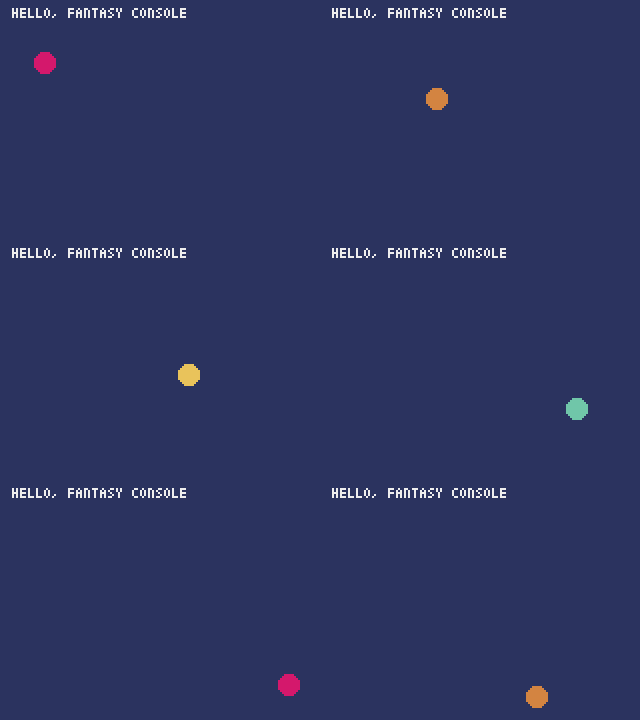
Going through it line by line:
-
pyxel.init(160, 120)creates the machine. You choose the resolution, and 160x120 keeps the pixels big. -
x, yis where the ball is anddx, dyis how far it moves in each frame. -
update()moves the ball and flips the direction when it gets close to an edge. The numbers 6, 153, 16 and 113 are the edges minus the radius of the ball, with the top pushed down so the ball doesn't run over the text. -
draw()clears the screen with colour 1 (dark blue), writes the text in colour 7 (white) and draws the ball. Colours are numbers from 0 to 15, never RGB values. The ball changes colour becauseframe_count // 15 % 4counts from 0 to 3 every 60 frames, and adding 8 picks one of the colours from 8 to 11. -
pyxel.run(update, draw)hands both functions to the loop and never returns.
Two mistakes show up all the time when people start. The first is forgetting global in update(): without it, Python treats x as a new local variable and stops with UnboundLocalError. The second is drawing inside update() or changing positions inside draw(). It works at first, but the game gets confusing fast. Keep the rules in update() and the picture in draw().
From here, the natural next steps are to read the arrow keys with pyxel.btn(pyxel.KEY_LEFT), add a paddle, and you have the beginning of Pong. Running pyxel edit opens the built-in editor, where you can draw sprites and compose music for the same game.
How to start #
Which machine you pick matters less than finishing something small on it. A few pointers:
- If you want the original and the biggest library of carts to learn from, PICO-8 is the one. It is paid, but a single purchase covers all platforms.
- If you want something free and open source, TIC-80 and Pyxel are both under the MIT license. TIC-80 is closer to the PICO-8 experience, with everything inside one window. Pyxel feels more like normal Python programming with a retro screen attached.
- If you already write Rust, Go or another compiled language, WASM-4 lets you keep it.
As for what to build, a game that fits on a single screen is the classic first project: Snake, Breakout, a maze, a tiny platformer with one level. But these machines are not only for games. People use them for music toys, drawing programs, small demos with visual effects and even little tools. Game jams on itch.io are a good deadline to aim for, since many of them accept PICO-8, TIC-80 and WASM-4 entries, and a jam is exactly where Celeste began.
The next part of this series leaves games behind and moves to creative coding: drawings, animations and sound made with code for their own sake, where the program is the artwork.
Sources #
- PICO-8, Lexaloffle Games
- PICO-8 on Wikipedia
- Picotron and Voxatron, Lexaloffle Games
- TIC-80: learn and TIC-80 on Wikipedia
- WASM-4 and its documentation
- Pyxel on GitHub
- A curated list of fantasy consoles and computers on GitHub
- TIC-80 boot animation: Wikimedia Commons

Notes
-
Lexaloffle's spec sheet lists the sound as "4 channel chip blerps", which says something about the tone of the whole project. ↩
-
How data fits inside an ordinary image is the subject of Hidden layers, which uses this same Celeste cart as an example. ↩
-
That jam version later grew into the full Celeste, released for PC and consoles in 2018. The original PICO-8 cart still exists and is known today as Celeste Classic. ↩
-
Pyxel has
pyxel.screenshot()andpyxel.screencast(), which save the screen as a PNG or the last few seconds as an animated GIF. ↩