

HTTP/3: what it fixes, what it costs, and why I keep it off
HTTP/3 explained without hype: what QUIC changes, the problem it fixes, where the gains are real, what it costs the server in CPU, and why I keep it switched off on my own servers.
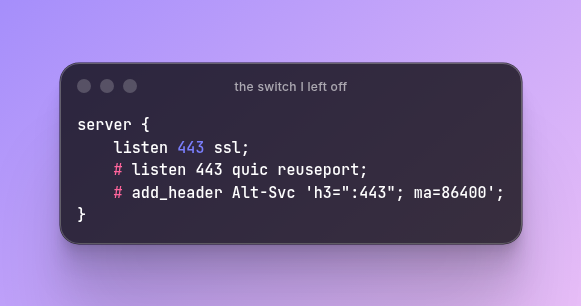
HTTP/3 has been a standard since 2022, every major browser speaks it, and a good part of the web already serves it. It's usually presented as a free upgrade: flip a switch, get a faster site. That's partly true, and the part that gets less attention is what it costs the server.
This post explains what HTTP/3 is, what problem it solves, how much it really helps, where it hurts, and why I haven't turned it on for my own servers.
A short family history #
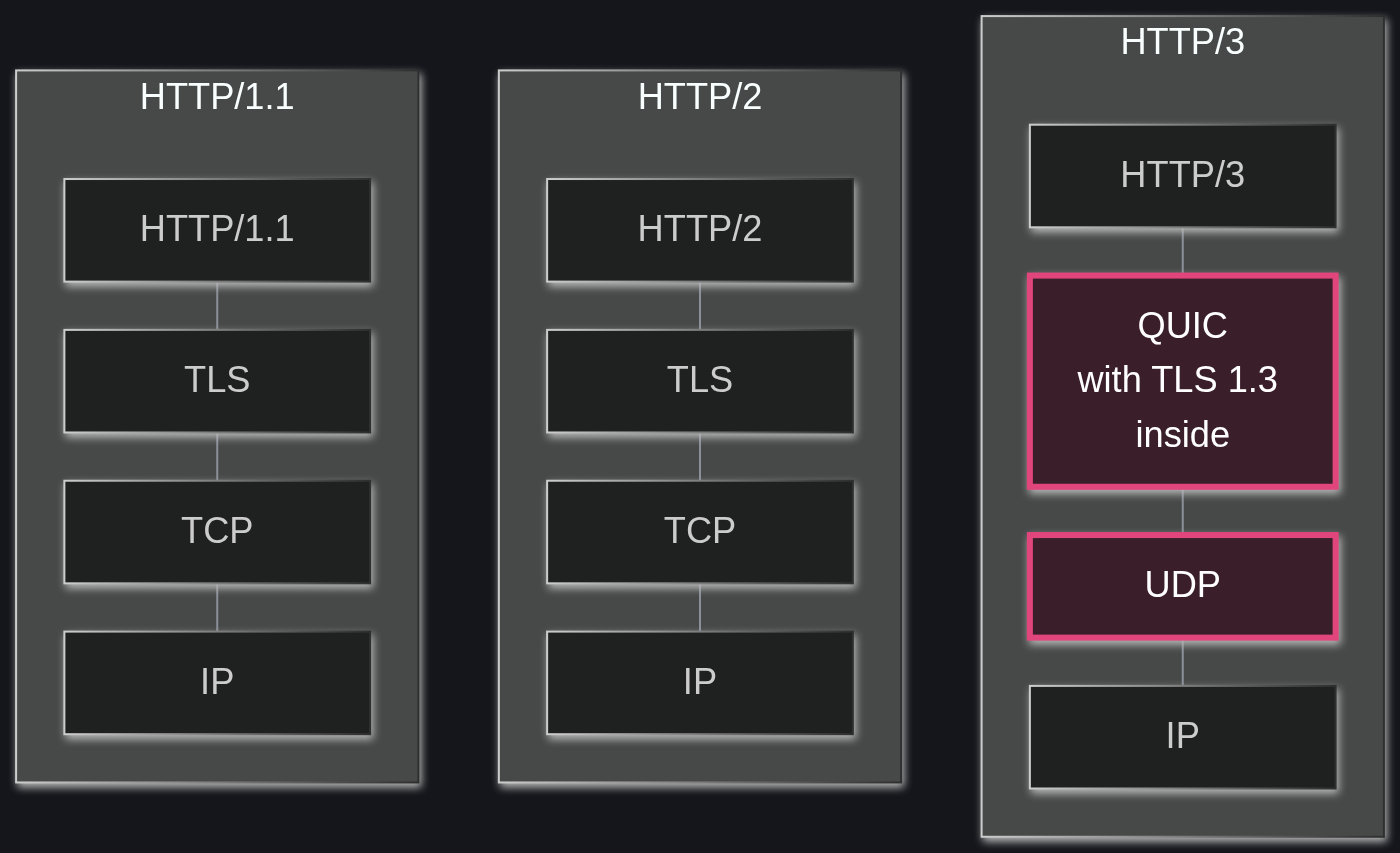
HTTP is the language browsers and servers use to ask for and send pages. It has gone through three big versions, and each one fixed the bottleneck of the one before.
HTTP/1.1, from the late nineties, handles one request at a time per connection. To load a page with forty files, browsers open several connections in parallel and queue the rest. It works, but it's a lot of waiting in line.
HTTP/2, standardized in 2015, puts many requests on a single connection at the same time. The forty files travel together, interleaved, over one TCP connection. Much better, except for one problem hiding underneath.
HTTP/3, standardized in 2022 as RFC 9114, keeps the ideas of HTTP/2 but moves them onto a new transport called QUIC, defined in RFC 9000 in 2021. QUIC doesn't run on TCP. It runs on UDP.
The problem it fixes #
TCP delivers bytes in order, always. If one packet gets lost, everything after it waits until that packet is sent again, even data that already arrived.
With HTTP/2, all of a page's files share one TCP connection. So a single lost packet from one image freezes the CSS, the JavaScript and every other file on that connection until the missing piece shows up. This is called head-of-line blocking. Picture a one-lane road: a car stalls, and every car behind it stops, even the ones going somewhere else.
On a good wired connection, packets rarely get lost, and the difference is hard to notice. On a phone moving between cell towers, or on a busy Wi-Fi, losses are common, and HTTP/2 can end up slower than its reputation suggests.
What QUIC does differently #
QUIC rebuilds the reliable parts of TCP itself, on top of UDP, and changes a few things on the way:
- Independent streams. Each file gets its own stream, and a lost packet only stalls the stream it belongs to. Back to the road picture: every car now has its own lane.
- Encryption built in. QUIC always uses TLS 1.3. There's no unencrypted QUIC.
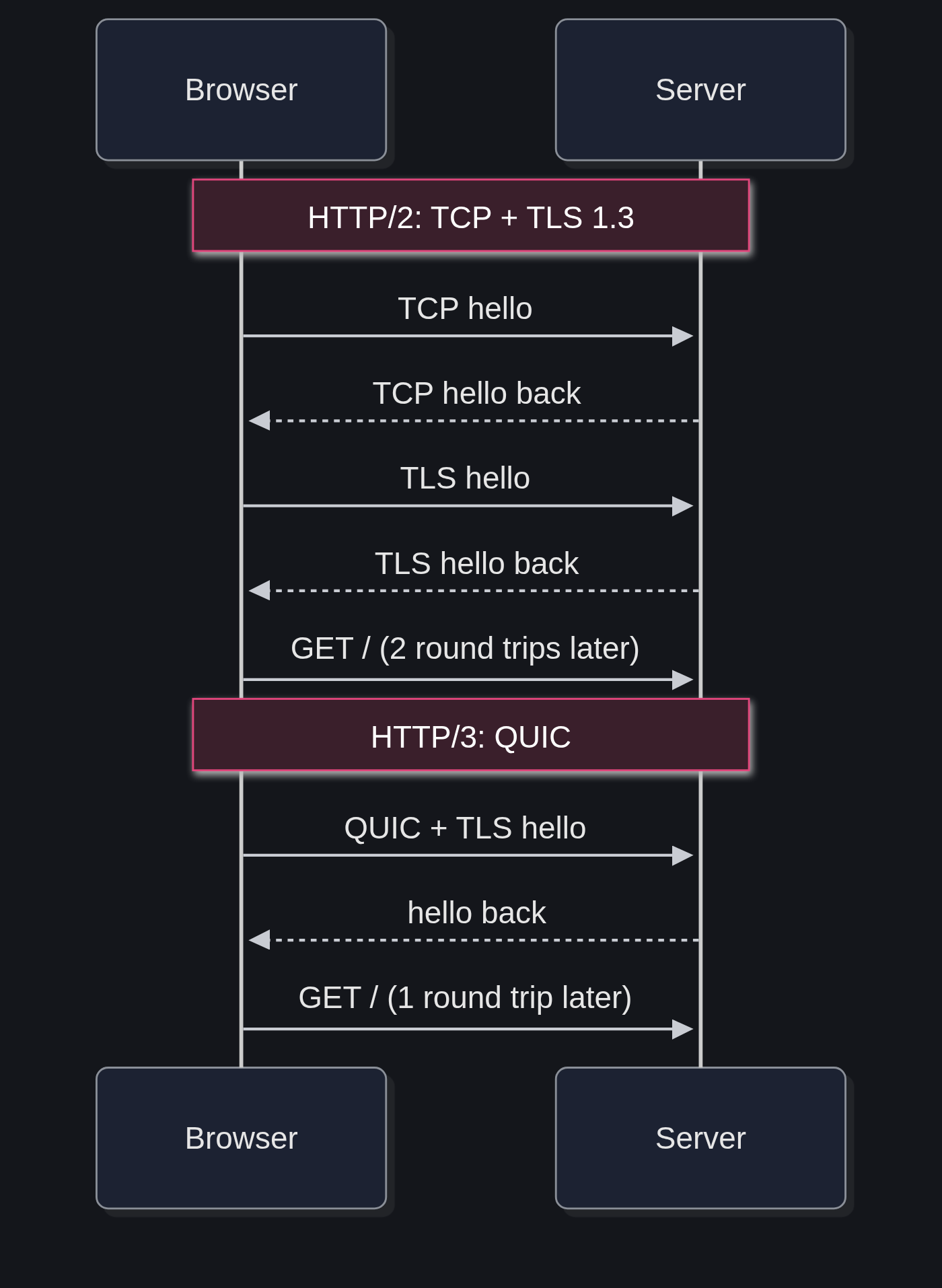
- A faster start. With TCP and TLS 1.3, the browser needs two round trips before it can send the first request: one for TCP, one for TLS. QUIC does both in one. When the browser has visited the site before, it can even send the request right away, in what's called 0-RTT.
- Connections that survive a network change. A QUIC connection is identified by an ID, not by the IP address and port. When a phone jumps from Wi-Fi to mobile data, the connection can keep going instead of starting over.
- Less visible to the middle. Most of QUIC's own headers are encrypted too, so routers and firewalls along the way can't read or tamper with them.
How a browser finds it #
A browser doesn't try HTTP/3 out of nowhere. The first visit usually happens over HTTP/2, and the server answers with a header that says "I also speak HTTP/3 on this port":
Alt-Svc: h3=":443"; ma=86400The browser remembers that for the time in ma (in seconds) and tries QUIC on the next requests. A DNS record of type HTTPS can announce the same thing earlier, before the first connection. If UDP is blocked anywhere along the way, the browser quietly falls back to HTTP/2, and the visitor never notices.
How much does it actually help #
The gains are real, and they depend a lot on the network:
- On phones, slow links and networks that lose packets, HTTP/3 helps the most. Head-of-line blocking hurts there, and the faster handshake saves a round trip that can be long.
- When someone changes networks in the middle of something, a download or a video, connection migration avoids a restart.
- On a fast, stable wired connection, the difference is usually small, and it can even go the other way (more on that below).
It's widely deployed. W3Techs counts 41.1% of websites offering HTTP/3 in November 2026, and Cloudflare reported that 21% of the requests it served in 2025 used it.
The downsides #
CPU #
This is the big one. TCP lives in the operating system kernel, and the kernel and network cards have decades of tricks to take work off the processor: they cut, merge and checksum TCP packets in bulk, much of it in hardware. QUIC lives in the application, in user space, and most of those tricks don't apply to it yet. Every packet gets more attention from the CPU, and there are more packets.
The numbers are not small. Google engineers told a 2020 SIGCOMM workshop that just sending UDP took about a quarter of the CPU in their workload, and more than half in some environments. A 2024 study presented at the ACM Web Conference, QUIC is not Quick Enough over Fast Internet, found that on fast connections the QUIC and HTTP/3 stack moved data up to 45.2% slower than TCP with HTTP/2, and traced it to the extra processing on the receiving side. In their tests, Chrome over QUIC reached nearly 100% CPU at around 200 Mbps, while HTTP/2 went past 900 Mbps on the same machine.
There are fixes in progress, like segmentation offload for UDP (GSO),1 and big providers tune their stacks heavily. But out of the box, on an ordinary server, QUIC costs more processor per byte than what it replaces. In nginx, for example, GSO for QUIC is off by default.
Two stacks instead of one #
UDP is blocked or throttled on some corporate networks, hotel Wi-Fi and older firewalls. So nobody can serve HTTP/3 alone: HTTP/2 over TCP keeps running for everyone who can't use QUIC, and HTTP/3 goes next to it. That's more to configure, more to monitor and one more port to open, UDP 443.
Harder to look inside #
Because QUIC encrypts almost everything, tools like tcpdump show much less than they do with TCP. Debugging a slow connection means exporting the TLS keys from the browser or the server and decrypting the capture by hand.
Still maturing on some servers #
nginx added HTTP/3 in version 1.25.0, in 2023, and its documentation still describes the module as experimental. Caddy turns it on by default, and big CDNs have run it for years, but for a self-hosted server the path is less trodden than HTTP/2.
0-RTT has a catch #
The instant start comes with a risk: a request sent in 0-RTT can be captured and replayed by an attacker. Servers have to limit it to safe requests, like simple page loads, and never use it for things like payments or form submissions.
Trying it on nginx #
To see it working, this is the minimal nginx setup, with nginx 1.25.1 or newer built with HTTP/3 support:
server {
    listen 443 ssl;
    listen 443 quic reuseport;
    http2 on;

    ssl_certificate /etc/letsencrypt/live/example.org/fullchain.pem;
    ssl_certificate_key /etc/letsencrypt/live/example.org/privkey.pem;

    add_header Alt-Svc 'h3=":443"; ma=86400';
}
Open UDP port 443 on the firewall, reload, and visit the site twice. In the browser's developer tools, the Network tab has a Protocol column, and it should say h3 from the second visit on. With a curl built with HTTP/3, curl -I --http3 https://example.org tests it from the terminal.
Why I haven't turned it on #
This part is opinion, and it's mine.
I'm excessively methodical about anything that puts load on the CPU. If a server's load reaches 0.1,2 I'm already thinking about which processes to cut, without much worry. I value extreme optimization and a light server, even when that costs the user something.
HTTP/3 goes in the opposite direction. It asks the server to do more work for each byte, so the visitor gets a faster start, mostly on a bad mobile connection. For a CDN serving millions of phones, that trade makes sense. With my priorities, it doesn't, so HTTP/3 stays off on my servers.
Notes
GSO, generic segmentation offload, lets a program hand the kernel one large buffer and have it cut into packets in a single pass, sometimes by the network card itself. TCP has had it for years. Linux added it for UDP in kernel 4.18, in 2018. ↩
Load average counts the processes running or waiting for the CPU, averaged over the last one, five and fifteen minutes. On a machine with several cores, 0.1 is close to idle. ↩