

Keep the tracker account alive
Private tracker accounts can take years to build. Invitation, ratio, history, reputation. And yet they can still disappear for something as trivial as simply not showing up for a few weeks.
Almost all of these sites run some kind of automated routine to disable or remove inactive accounts. The window varies from tracker to tracker, sometimes a month, sometimes a few months, and there is rarely any warning beforehand. The problem is not losing access to a catalog. It is losing something that took time to earn and that, in many cases, cannot simply be recovered.
When you have one or two accounts, remembering to log in every now and then is easy. When you have dozens, each with its own rules and deadlines, things change. You start relying on memory, calendars, and discipline to perform, indefinitely, a repetitive and completely uninteresting task. Exactly the kind of thing humans forget and machines do very well.
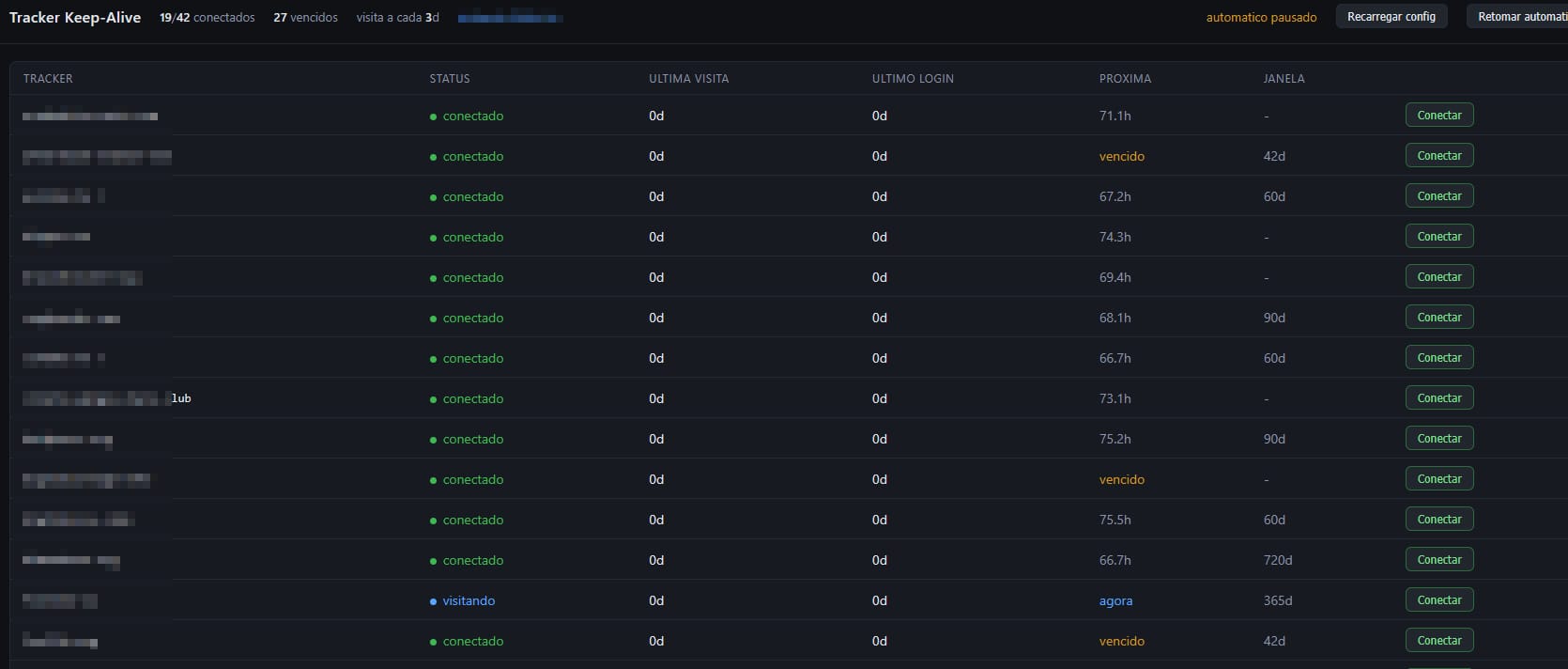
What it does
The program opens a real browser, logs into the tracker, and spends a few minutes browsing normally, just as any visitor would.
It does not simulate downloads, fake seeding, manipulate ratio, or manufacture activity that never happened. The only thing it automates is the act of showing up.
Each tracker has its own rhythm, based on the actual rules of that site, and the system keeps two separate clocks: one for visits and another for authentication.
That distinction seems minor until you look at how these platforms actually work.
By reading the source code of some of them, we found that many only reset the inactivity counter when a real login occurs. A saved session can keep working perfectly for weeks, but that does not necessarily mean the tracker considers the account active.
A tool that ignored this detail could spend months reporting that everything was working while, quietly, the deletion deadline kept getting closer.
What it avoids
The most important part, oddly enough, is not getting into the sites. It is knowing when not to try.
A failed login attempt can turn into an IP block, and when several accounts are coming from the same address, insisting is probably the worst possible strategy. A small mistake repeated dozens of times stops being small very quickly.
That is why the system does not keep experimenting.
It makes one attempt per site, never starts trying username or password variations, stops immediately when a credential is rejected, and progressively increases the delay after a failure.
If it encounters something that requires a person, such as a CAPTCHA, two-factor authentication, or an unexpected page, it simply stops and alerts me.
There is no heroic attempt to force its way through the obstacle.
The goal was never to visit every tracker at any cost. It is much simpler than that:
the program should never be the reason an account was lost.