

MultiPass: my links page fits in an 88x31 button
The new /links page on pablomurad.com lists the sites I like, and an 88x31 button at the bottom carries the whole list as an Octothorpes MultiPass. What Octothorpes is, how bookmarks with topics work, where the query hides inside the GIF and how to open it.
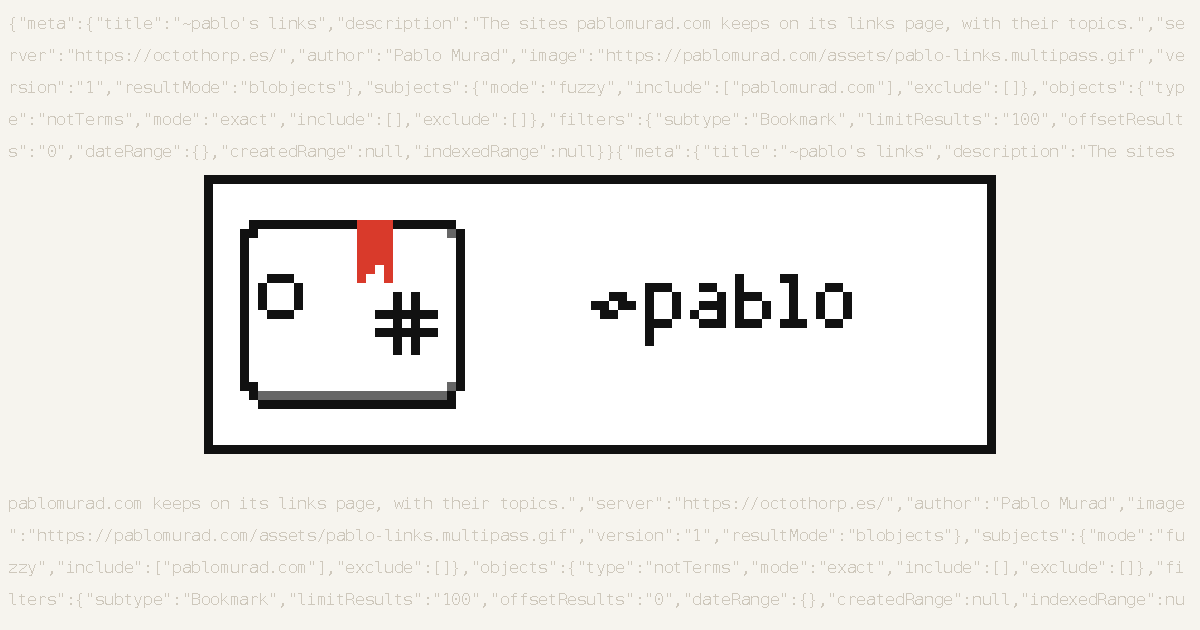
The site has a new page, /links, with the sites I like, of every kind. At the bottom sits a small 88x31 button1 with a card, a red ribbon and a hash sign. It looks like any other button from the 2000s, but it carries the whole list inside it. It's a MultiPass, a saved Octothorpes query, and any MultiPass reader can open it.
The /links page #
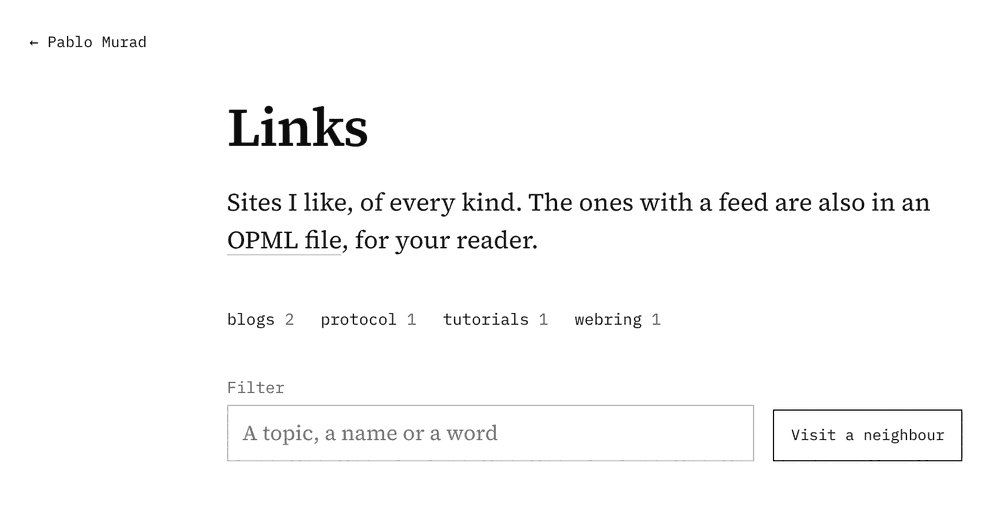
Each site on the page has its icon, its address, a short description and a note in my own words. Sites with a feed also show their latest post, and they go into an OPML file that a feed reader can import in one go. The topics at the top work as an index, the filter narrows the list by topic, name or any word, and the "Visit a neighbour" button sends the browser to one of the sites at random.
Two small markers do the neighbourly part. When a site keeps pablomurad.com in its own list, its entry gets a red "mutual" tag, and "their list" opens the OPML file where that site publishes the sites it follows.
Octothorpes, briefly #
Octothorpes describes itself as hashtags that work on any website. A site adds a line or two of HTML, marks its hashtags and links, and an Octothorpes server indexes the page when the site asks for it. The server doesn't crawl the web, so only pages that people submit end up there. Out of that index come tag pages, backlinks, webrings, bookmarks and RSS feeds for any mix of them. I was already wandering around it when I found the ANSI artists behind Note III.
The project comes from Stucco Software and The Idea Store, and it had been in public use for about a year when the first stable version came out:
- v0.5, the first stable version of Octothorpes, launches on HTML Day
- MultiPass is introduced: a search that can be saved, shared and hidden inside a GIF
- v0.6 adds the Explore page, tags on links, new link types and MultiPass components
- /links goes up on pablomurad.com with its own MultiPass
Source
2025-08-02 v0.5, the first stable version of Octothorpes, launches on HTML Day
2025-11-03 MultiPass is introduced: a search that can be saved, shared and hidden inside a GIF
2026-05-01 v0.6 adds the Explore page, tags on links, new link types and MultiPass components
2026-11-22 /links goes up on pablomurad.com with its own MultiPass
Bookmarks with topics #
The entries on /links are plain links with two extra attributes. This is the one for Octothorpes itself:
<a href="https://octothorp.es/" rel="octo:bookmarks" data-octothorpes="protocol,webring">octothorp.es</a>rel="octo:bookmarks" tells the server that the page bookmarks that address, and data-octothorpes puts topics on the link. The topics belong to the bookmark, not to the whole page, so one page can file each link under its own words. Once the page is indexed, the Octothorpes API answers for it. Trimmed a little:
$ curl -s "https://octothorp.es/get/everything/bookmarked?s=pablomurad.com&match=fuzzy-s"
{"results":[{"@id":"https://pablomurad.com/links",
"title":"Links · Pablo Murad",
"octothorpes":[
{"uri":"https://htmlforpeople.com","type":"Bookmark","terms":["tutorials"]},
{"uri":"https://octothorp.es","type":"Bookmark","terms":["webring","protocol"]},
{"uri":"https://shellsharks.com","type":"Bookmark","terms":["blogs"]},
{"uri":"https://pablomurad.com","type":"Bookmark","terms":["blogs"]}]}]}
Source
$ curl -s "https://octothorp.es/get/everything/bookmarked?s=pablomurad.com&match=fuzzy-s"
{"results":[{"@id":"https://pablomurad.com/links",
"title":"Links · Pablo Murad",
"octothorpes":[
{"uri":"https://htmlforpeople.com","type":"Bookmark","terms":["tutorials"]},
{"uri":"https://octothorp.es","type":"Bookmark","terms":["webring","protocol"]},
{"uri":"https://shellsharks.com","type":"Bookmark","terms":["blogs"]},
{"uri":"https://pablomurad.com","type":"Bookmark","terms":["blogs"]}]}]}
A MultiPass is a saved question #
A MultiPass is a JSON object that describes a query to that API. It stores the question and not the answer, so whoever opens it gets the results as they stand on that day. The project calls them mixtapes of websites, made for friends.
The one on /links asks, more or less, for everything pablomurad.com has bookmarked. Field by field:
Source
---
/* cssv:title The ~pablo MultiPass, field by field */
/* cssv:description What each field of the query inside the button does. */
table { width: 100%; font: 15px/1.45 source-serif-4, Georgia, serif; color: #111; }
thead { display: none; }
td { padding: 0.45em 0.7em 0.45em 0; border: 0; border-top: 1px solid #e6e6e6; vertical-align: baseline; }
tbody tr:first-child td { border-top: 1px solid #111; }
tbody tr:last-child td { border-bottom: 1px solid #111; }
td[data-col="field"] { font: 12px/1.6 ibm-plex-mono, ui-monospace, monospace; color: #666; white-space: nowrap; }
td[data-col="value"] { font: 600 13px/1.5 ibm-plex-mono, ui-monospace, monospace; color: #d93a2b; word-break: break-word; }
@media (max-width: 30rem) { td[data-col="field"] { white-space: normal; word-break: break-all; } }
---
field,value,what it does
meta.title,~pablo's links,the name a reader shows
meta.server,https://octothorp.es/,which Octothorpes server to ask
meta.resultMode,blobjects,pages together with their octothorpes
subjects.include,pablomurad.com,"whose pages, matched loosely, so any address on the domain counts"
objects.type,notTerms,"links to pages, leaving hashtags out"
filters.subtype,Bookmark,"only bookmarks, no citations or backlinks"
filters.limitResults,100,at most a hundred results
The loose match on the domain is the "fuzzy" mode. Explore spells it out in plainer words when it loads the button: "everything kinda sorta bookmarked from pablomurad.com".
Where the query hides #
The GIF format has a block reserved for plain text, the Comment Extension, and image viewers skip it. MultiPass puts the JSON there and leaves the frames alone. The ~pablo button weighs 1,394 bytes: 88 by 31 pixels, eight frames that loop, and 551 bytes of query.
Source
digraph gif {
rankdir=TB;
node [shape=box, fontname="Helvetica", fontsize=12, margin="0.4,0.12", style=filled, fillcolor="#ffffff", color="#111111"];
edge [arrowhead=none, color="#999999"];
h [label="GIF89a header\n88 x 31, palette"];
c [label="Comment Extension\n551 bytes of JSON: the MultiPass", fillcolor="#fde8e5", color="#d93a2b"];
n [label="Netscape block\nloop forever"];
f [label="8 frames\nthe picture"];
t [label="trailer"];
h -> c -> n -> f -> t;
}
Since the query is plain text, strings finds it without any special tool:
$ curl -sO https://pablomurad.com/assets/pablo-links.multipass.gif
$ strings -n 20 pablo-links.multipass.gif
{"meta":{"title":"~pablo's links","description":"The sites pablomurad.com keeps on its links page, with their topics.","server":"https://octothorp.es/","author":"Pablo Murad","image":"https://pablomurad.com/assets/pablo-links.multipass.gif","version":"1",
"resultMode":"blobjects"},"subjects":{"mode":"fuzzy","include":["pablomurad.com"],"exclude":[]},"objects":{"type":"notTerms","mode":"exact","include":[],"exclude":[]},"filters":{"subtype":"Bookmark","limitResults":"100","offsetResults":"0","dateRange":{},)"createdRange":null,"indexedRange":null}}
Source
$ curl -sO https://pablomurad.com/assets/pablo-links.multipass.gif
$ strings -n 20 pablo-links.multipass.gif
{"meta":{"title":"~pablo's links","description":"The sites pablomurad.com keeps on its links page, with their topics.","server":"https://octothorp.es/","author":"Pablo Murad","image":"https://pablomurad.com/assets/pablo-links.multipass.gif","version":"1",
"resultMode":"blobjects"},"subjects":{"mode":"fuzzy","include":["pablomurad.com"],"exclude":[]},"objects":{"type":"notTerms","mode":"exact","include":[],"exclude":[]},"filters":{"subtype":"Bookmark","limitResults":"100","offsetResults":"0","dateRange":{},)"createdRange":null,"indexedRange":null}}
The line break and the stray ) before "createdRange" are the GIF showing through.2
How to open it #
- Save the button from /links as a GIF. Converting it to another format, or sending it through an app that recompresses images, can throw the comment away.
- Open the Explore page on Octothorpes and drop the GIF on it, or use the Upload MultiPass button.
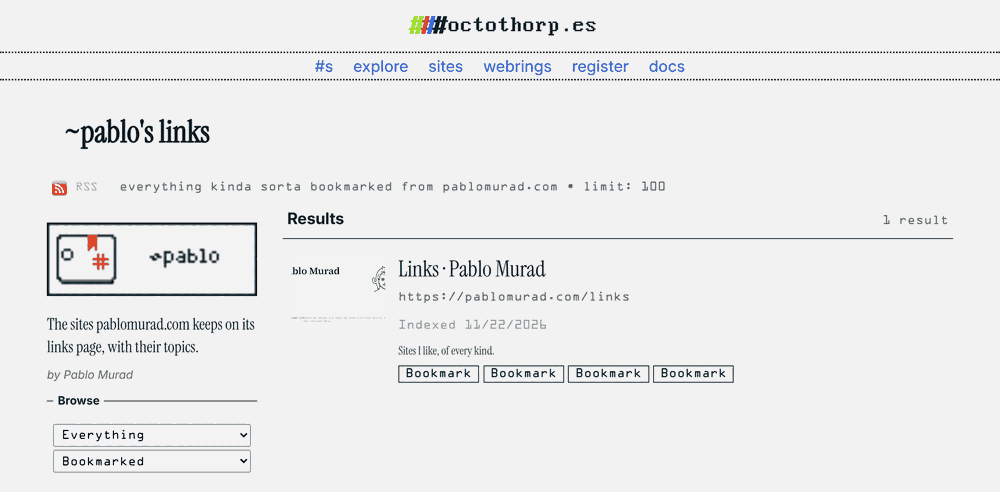
- Explore reads the query, runs it and shows the results, with an RSS link for the same search.
A site can open a MultiPass by itself too, with one of the web components Octothorpes ships:
<script type="module" src="https://octothorp.es/components/octo-multipass-loader.js"></script>
<octo-multipass-loader gif="https://pablomurad.com/assets/pablo-links.multipass.gif" render="list"></octo-multipass-loader>
Making one goes the other way: build a search on Explore and press "Make MultiPass GIF". The MultiPass docs cover the full format, and the project suggests sharing new ones with the hashtag #OPMultiPass.
Notes
-
88 by 31 pixels is the size of the small web buttons from the late 90s and the 2000s, the same size as the badges in the footer of this site. ↩
-
GIF stores that text in pieces of up to 255 bytes, each one preceded by a byte with its length. This query has 551 bytes, so it goes in as 255, 255 and 41. The length 255 isn't a printable character, so
stringsbreaks the line there, and 41 is the ASCII code for a closing parenthesis. ↩